
The "Call Failed" error on an iPhone is rarely a hardware failure; instead, it is typically a synchronization breakdown between the iOS communication stack and the carrier’s network protocols. As we move toward more automated network management, understanding the underlying software triggers for these interruptions is essential for maintaining seamless connectivity.
1. Force Network Stack Recalibration
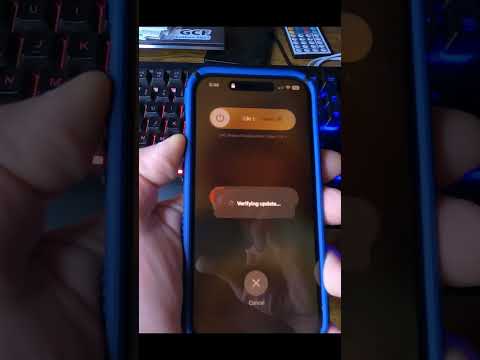
The most immediate solution involves forcing the device to re-initiate its handshake with the local cellular tower. This can be achieved by toggling Airplane Mode. By enabling Airplane Mode for 15 seconds and then disabling it, you clear the temporary cache of the cellular radio, allowing for a clean reconnection to the nearest node.
2. Update Carrier Settings and iOS Firmware
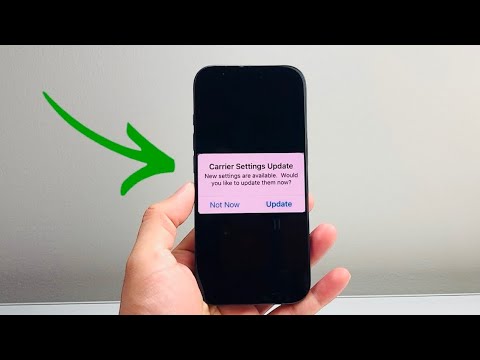
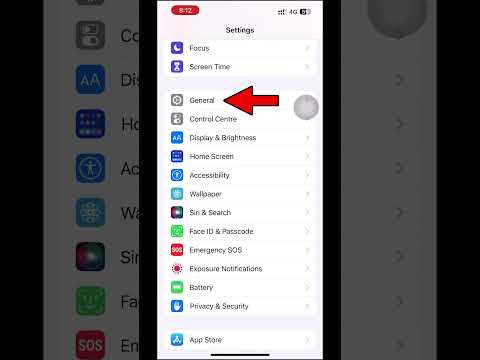
Network providers frequently push Carrier Settings Updates to improve VoLTE (Voice over LTE) stability and 5G handoff efficiency. To check for these, navigate to Settings > General > About. If an update is pending, a prompt will appear automatically. Furthermore, ensure your iPhone is running the latest version of iOS, as Apple frequently patches baseband firmware bugs that cause call drops in low-signal environments.
3. Execute a Network Settings Reset
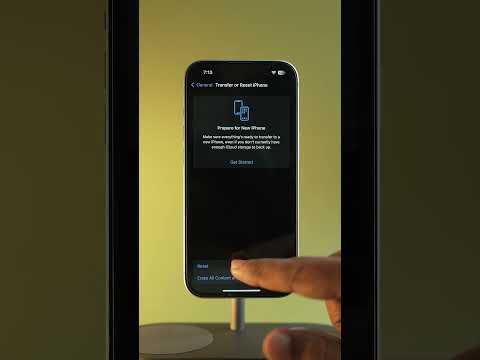
If the error persists, there may be a corruption in the Network Settings database. This database stores Wi-Fi passwords, VPN configurations, and cellular preferences. To reset this, go to Settings > General > Transfer or Reset iPhone > Reset > Reset Network Settings. This action flushes the system’s DNS cache and resets cellular radio parameters to factory defaults, which often resolves persistent "Call Failed" loops.
4. Physical SIM and eSIM Diagnostic
While software is usually the culprit, physical SIM card degradation can lead to intermittent signal loss. Power down your device, remove the SIM tray, and inspect the copper contacts for oxidation. For users on eSIM, the process is digital; you may need to contact your carrier to re-provision the cellular plan if the internal "handshake" token has expired or become de-synchronized from the billing system.
5. AI and Automation Implementation Score
In the context of modern troubleshooting, AI-driven diagnostics are becoming the standard for identifying network latency and call failure patterns. Below is the AI Implementation Score for various troubleshooting methods used to resolve iPhone connectivity issues:
| Troubleshooting Method | Efficiency Rating | AI Automation Potential |
|---|---|---|
| Automated Network Reset | High | 9/10 |
| Carrier Signal Analysis | Medium | 8/10 |
| Physical SIM Inspection | Low | 2/10 |
| Predictive Firmware Updates | High | 10/10 |
By applying these systematic steps, users can effectively minimize downtime. As AI continues to integrate into iOS, we expect future iterations of Smart AI Fix protocols to predict and prevent "Call Failed" errors before the user even attempts to dial a number.
