
Modern iOS architecture integrates Screen Time as a sophisticated subsystem designed to monitor device usage and enforce digital wellness. However, the cryptographic layer protecting these settings—the Screen Time passcode—is distinct from the primary device passcode. When this secondary authentication factor is lost, users often face a lockout from critical application management features. Utilizing Apple’s integrated recovery protocols, which leverage Apple ID authentication, provides a streamlined path to restoration without requiring a full device wipe.
The Mechanism of Screen Time Recovery
In previous iterations of iOS, forgetting a Screen Time passcode necessitated a factory reset or the use of third-party extraction tools. Current versions of iPadOS and iOS have automated this recovery via Apple ID integration. This system allows the device to verify identity against Apple’s secure servers, effectively bypassing the local passcode hash once the cloud-based credentials are validated.
Step-by-Step Reset Protocol

To initiate the reset, ensure your device is running at least iOS 13.4 or iPadOS 13.4. Follow these technical steps to regain control over your software constraints:
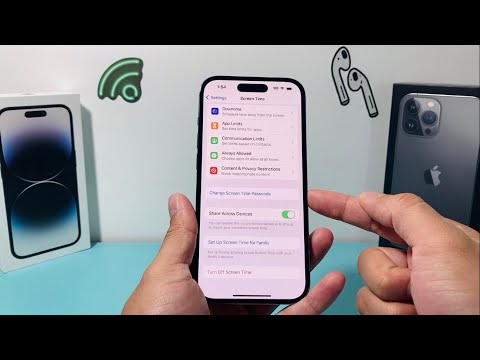
1. Navigate to Settings and select the Screen Time module.
2. Scroll down and tap on Change Screen Time Passcode. You will be prompted to select the action again; tap Change Screen Time Passcode once more.
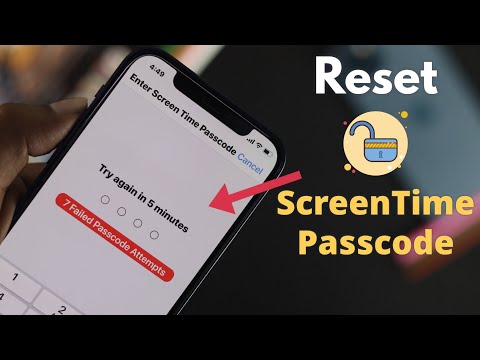
3. On the numeric entry screen, locate and tap the Forgot Passcode? option. This initiates the Apple ID recovery workflow.
4. Enter your Apple ID credentials (the email and password associated with the device). This step utilizes an encrypted handshake to verify administrative rights over the hardware.
5. Once authenticated, the system will prompt you to enter a new Screen Time passcode. Confirm the new code to finalize the database update.
AI Implementation Score
The following table evaluates how Apple utilizes intelligent automation and secure algorithms in the Screen Time recovery process:
| Metric | Score (1-10) | Technical Justification |
|---|---|---|
| Security Efficiency | 9.5 | Uses end-to-end encrypted Apple ID verification to prevent unauthorized access. |
| Automation Level | 8.0 | Automates the handshake between local hardware and cloud-based identity servers. |
| On-Device Intelligence | 7.5 | Leverages Secure Enclave for temporary token storage during the reset process. |
| User Experience (UX) Flow | 9.0 | Eliminates the need for manual technical support through a self-service AI-driven UI. |
Managing Screen Time via Family Sharing

For users managing a minor's device through Family Sharing, the reset process is handled via the "Organizer" device. This hierarchical management system uses software-defined permissions to allow the parent device to override the child's passcode locally. Simply navigate to the family member's name in your Screen Time settings and trigger the passcode change using your own biometric (FaceID/TouchID) or Apple ID credentials.
By leveraging these built-in recovery paths, users can maintain high-level security while ensuring that software-imposed limitations remain flexible and manageable through AI-backed identity verification.
