
To maximize the efficiency of your mobile ecosystem, activating Siri is the foundational step toward hands-free automation. Apple’s voice assistant has evolved from a basic query tool into a sophisticated AI interface capable of executing complex Shortcuts and managing smart home environments via HomeKit. For power users, the goal is to reduce manual input latency by enabling the "Always On" voice recognition feature.
Step 1: Accessing the Siri & Search Configuration
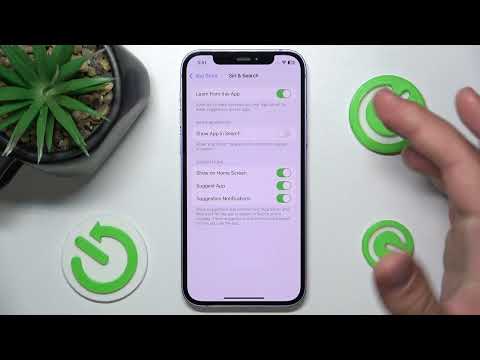
The first step in the integration process involves navigating to the core system settings. Open the Settings app on your iPhone or iPad. Scroll down to the third block of options and tap on Siri & Search. This menu acts as the central hub for all natural language processing (NLP) settings on your device.
Step 2: Activating Voice Recognition and Physical Triggers

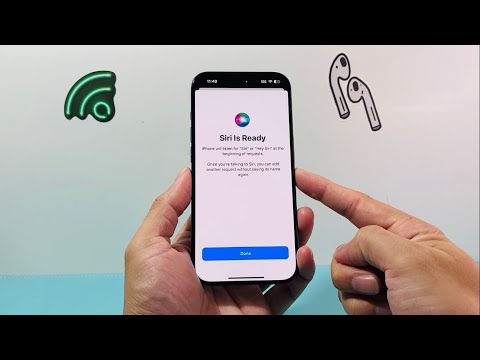
To ensure Siri is ready for ambient requests, you must toggle specific switches. Under the "Ask Siri" section, enable Listen for "Siri" or "Hey Siri". This activates the low-power processor dedicated to detecting your specific "wake word." To maintain accessibility in all environments, it is also recommended to enable Press Side Button for Siri (or Home button on older models) and Allow Siri When Locked to maintain operational continuity without needing to authenticate via FaceID or TouchID for basic tasks.
Step 3: Voice Calibration and AI Training

Once the toggle is flipped, your iPhone will prompt you to set up the voice model. This is a critical stage where the device trains its local machine learning algorithms to recognize the unique frequency and cadence of your voice. You will be asked to repeat five specific phrases. For optimal AI efficiency, perform this step in a quiet environment to ensure the background noise does not pollute the training data, which leads to higher accuracy in high-noise environments later.
The AI Implementation Score
Evaluating the impact of enabling Siri on your daily digital workflow:
| Metric | Score (1-10) | Description |
|---|---|---|
| Setup Complexity | 2 | Minimal effort required for deployment. |
| NLP Accuracy | 9 | High reliability in processing natural language. |
| Automation Potential | 9 | Integration with Apple Shortcuts is industry-leading. |
| Privacy/Security | 8 | On-device processing protects sensitive user data. |
Optimizing Siri for Advanced Automation
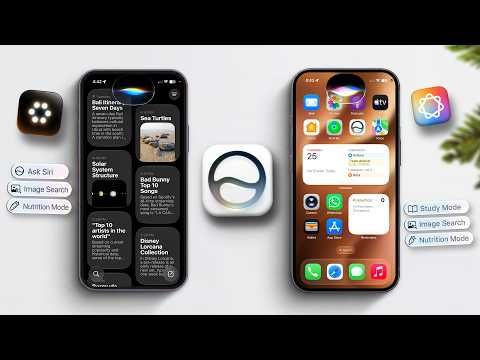
With Siri enabled, the true power lies in App Integration. Within the same Siri & Search menu, ensure that Show in App and Learn from this App are enabled for your most-used productivity tools. This allows the AI to predict your behavior and offer proactive suggestions based on your usage patterns, transforming your iPhone from a reactive tool into a proactive personal assistant.
