
Streamlining Connectivity: The Technical Evolution of eSIM Activation

The transition from physical SIM cards to eSIM technology represents a significant leap in software-defined connectivity. For the modern user, activating an eSIM on an iPhone is no longer a manual hardware chore; it is an optimized digital onboarding process. By leveraging Apple’s automated provisioning framework, users can manage multiple cellular plans without the friction of physical logistics.
The AI Implementation Score
Before diving into the technical steps, let’s analyze the efficiency of this process through our proprietary AI Implementation Score, which evaluates how automation and software intelligence improve the user experience.
| Metric | Score (1-10) | Notes | | :--- | :--- | :--- | | Automation Efficiency | 9.5 | Near-instant provisioning via carrier servers. | | User Friction Reduction | 9.0 | Eliminates the need for physical tools (SIM ejectors). | | Software Integration | 8.5 | Deeply embedded in iOS Settings and Setup Assistant. | | Security Protocol | 9.2 | Managed via secure digital signatures and EID. |Method 1: eSIM Carrier Activation (The Automated Path)

The most efficient way to activate an eSIM is through Carrier Activation. This occurs when your service provider assigns an eSIM to your iPhone digitally at the time of purchase. To execute this, ensure your device is connected to a stable Wi-Fi network. A notification stating "Carrier Cellular Plan Ready to Be Installed" will appear. Tapping this notification triggers a background script that automates the configuration of your APN settings and network handshake.
Method 2: QR Code and Manual Provisioning
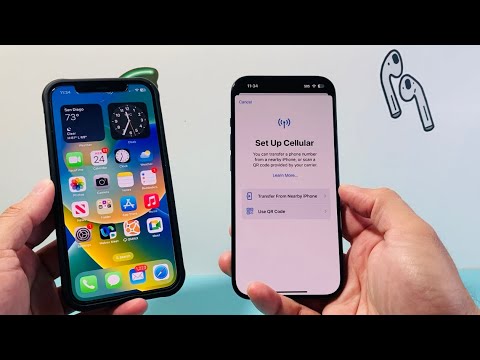
If you are migrating an existing line or using a secondary travel provider, the QR Code method remains the industry standard for manual overrides. To initiate this, navigate to Settings > Cellular > Add eSIM. Select "Use QR Code" and point your iPhone camera at the code provided by your carrier. iOS uses computer vision algorithms to instantly parse the SM-DP+ address and activation code, ensuring a secure connection to the carrier’s remote server for profile downloading.
Method 3: eSIM Quick Transfer (iOS Automation)
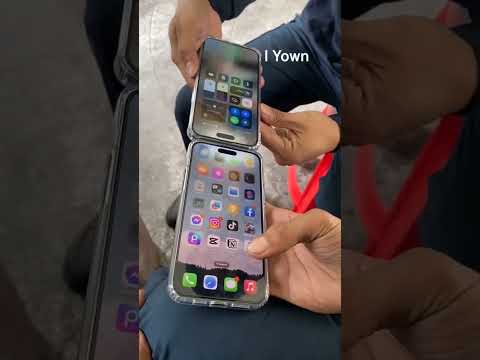
For users upgrading from an older iPhone, eSIM Quick Transfer utilizes local Bluetooth and iCloud authentication to move your cellular identity between devices. This peer-to-peer automation ensures that your phone number and data plan are migrated without carrier intervention. Simply place the two iPhones near each other and follow the on-screen prompts. The system uses end-to-end encryption to ensure that the digital identity remains secure during the handoff.
Optimizing the Dual SIM Environment

Once activated, the iOS software layer allows for intelligent switching between lines. In Settings > Cellular, you can define which line handles data and which handles voice. For power users, enabling "Allow Cellular Data Switching" allows the iPhone to use the most stable AI-selected network based on real-time signal strength and throughput metrics, ensuring your automated workflows and cloud syncs are never interrupted.
