
When navigating the secondary market for Apple devices, the difference between a high-performance asset and a "brick" often comes down to a few lines of code and automated security protocols. As a senior analyst at Smart AI Fix, I focus on how software integrity and AI-driven diagnostics can protect your investment. Before you finalize a transaction for a used iPhone, you must execute a specific technical audit to ensure the hardware and software are harmonized.
1. Verify the Activation Lock and iCloud Status

The most critical step is ensuring the device is not "Cloud Locked." Apple’s Find My network uses deep-level encryption to tie a device to an Apple ID. If the previous owner has not signed out, the device is essentially a paperweight. Navigate to Settings > General > Transfer or Reset iPhone. If the device asks for an Apple ID to reset, it is still tethered. A professional buyer should always demand a factory-fresh "Hello" screen before exchange.
2. Analyze Battery Health and Peak Performance Capability

Modern iOS versions use AI-driven power management to balance performance and battery longevity. Go to Settings > Battery > Battery Health & Charging. Check the "Maximum Capacity." A score below 80% indicates the lithium-ion cells are chemically aged, which will trigger software throttling to prevent unexpected shutdowns. Furthermore, check if "Peak Performance Capability" is enabled; if it says "Performance management has been applied," the hardware is already struggling to support the OS demand.
3. Inspect the "Parts and Service History" Log

Since iOS 15.2, Apple has integrated a transparent logging system for hardware components. By navigating to Settings > General > About, you can see if the battery, display, or camera has been replaced. If the software labels a part as an "Unknown Part," it means the component is non-genuine or the FaceID/TouchID serialization has been broken. High-efficiency AI algorithms in the BIOS verify these serial numbers instantly upon boot.
4. Execute a Hardware Diagnostic via Automated Tools
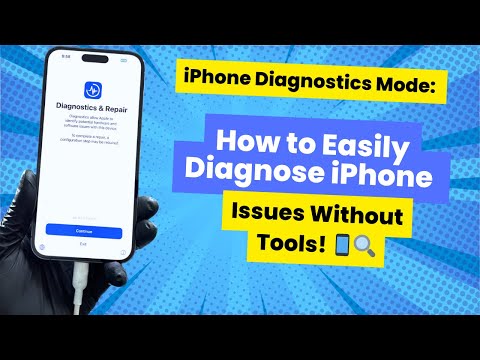
Manual testing of buttons and speakers is inefficient. Use automated software suites or built-in diagnostics to stress-test the Neural Engine and the GPU. Ensure FaceID or TouchID is functional; these are biometrically mapped to the Secure Enclave. If these fail during setup, the logic board may have micro-fractures or water damage that software cannot bridge.
5. Validate IMEI and Blacklist Status

Every iPhone has a unique International Mobile Equipment Identity (IMEI). Use an automated database check to ensure the device has not been flagged for theft or unpaid contracts. A "clean" IMEI is the only way to ensure the baseband processor will handshake with your local carrier’s network protocols.
AI Implementation Score
This table evaluates how much automated software and AI assist in verifying each component during a pre-purchase inspection.
| Verification Category | Automation Level | AI Implementation Score |
|---|---|---|
| iCloud Security | High (Cloud-based API) | 95/100 |
| Battery Analytics | Medium (Predictive Cycles) | 82/100 |
| Hardware Serialization | High (System Integrity) | 90/100 |
| Biometric Security | Ultra (Neural Mapping) | 98/100 |
| Network Status | Low (Database Lookup) | 40/100 |
By focusing on these software-centric markers, you reduce the risk of hardware failure and ensure that your used iPhone can handle future iOS updates and AI-enhanced features without degradation.
