
The iPhone 16 Pro represents the latest evolution in mobile hardware, designed specifically to harness the power of Apple Intelligence. However, to leverage these AI-driven features, such as real-time language translation and advanced cloud computing, a stable cellular connection is non-negotiable. While the industry is shifting toward eSIM, many global users still rely on physical nano-SIM cards for their primary cellular service and data.
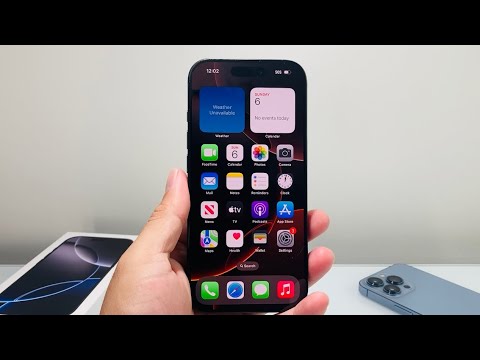
Step 1: Preparation and Safety

Before beginning the process, ensure your iPhone 16 Pro is powered off. This prevents any potential electrical shorts or software glitches during the hardware handshake. You will need a standard SIM ejector tool or a small, sturdy paperclip. As emphasized by @Technomentary, using the official tool included in the box ensures a precise fit and prevents damage to the internal spring mechanism.
Step 2: Locating the SIM Tray
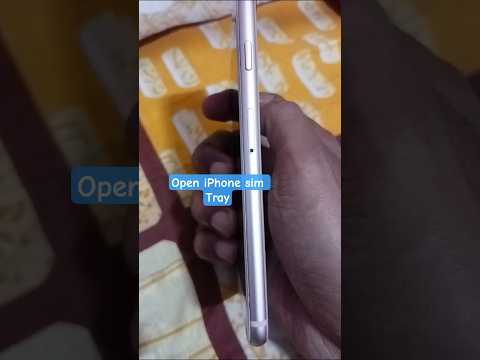
On the iPhone 16 Pro, the SIM tray is located on the left side of the device (the same side as the volume buttons and the Action Button). Look for a small, circular pinhole flush with the titanium frame. This layout is optimized for internal component efficiency, leaving maximum space for the new thermal management systems required for high-performance AI processing.
Step 3: Removing the SIM Tray
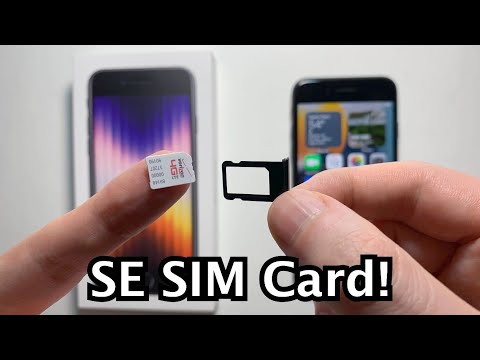
Insert the SIM ejector tool into the pinhole and apply firm, steady pressure. Do not use excessive force or insert the tool at an angle. The tray will pop out slightly. Gently pull the tray out of the device using your fingernails. Take note of the tray's orientation; it is keyed to fit back into the chassis only one way.
Step 4: Inserting the Nano-SIM Card

Place your nano-SIM card into the tray. The gold contacts must face upward, and the notched corner of the SIM card must align perfectly with the notch in the tray. This physical alignment is a fail-safe to ensure the internal modem can immediately interface with the card’s integrated circuit. Once seated, slide the tray back into the iPhone 16 Pro until it is completely flush with the frame.
AI Implementation Score
In our "Smart AI Fix" assessment, we evaluate how hardware interactions facilitate software automation and connectivity. Physical SIM installation remains a manual bottleneck in an otherwise automated ecosystem.
| Metric | Score (1-10) | Notes |
|---|---|---|
| Ease of Installation | 9/10 | Standardized nano-SIM format is highly reliable. |
| Hardware Compatibility | 10/10 | Precise fit for iPhone 16 Pro titanium frame. |
| AI Connectivity Speed | 8/10 | Dependent on carrier 5G provisioning for Apple Intelligence. |
| Automation Potential | 3/10 | Manual process; eSIM is the preferred "Smart Fix" for automation. |
Software Activation and Network Sync

Once the tray is inserted, power on your iPhone 16 Pro. The device will automatically initiate a handshake protocol with the carrier. Navigate to Settings > Cellular to verify that your data plan is active. If you are moving from an older device, the iOS setup assistant may trigger an automated "SIM Transfer" prompt, which uses local machine learning to migrate your cellular credentials if your carrier supports it.
For users seeking maximum efficiency, we recommend investigating eSIM conversion within the Settings menu. This allows for instant carrier switching via software, removing the need for physical tools and aligning your hardware usage with the streamlined "Smart AI Fix" philosophy.
