
The iPhone 13 Pro Max remains a powerhouse in the Apple ecosystem, particularly for users leveraging high-intensity AI automation and background processing. However, even with the A15 Bionic chip and its advanced Neural Engine, software deadlocks can occur. When the UI becomes unresponsive or a background process causes a kernel hang, a standard "Slide to Power Off" is often impossible. In these high-performance scenarios, a hardware-level force restart is the most efficient diagnostic tool to restore system integrity.

The Sequential Force Restart Protocol
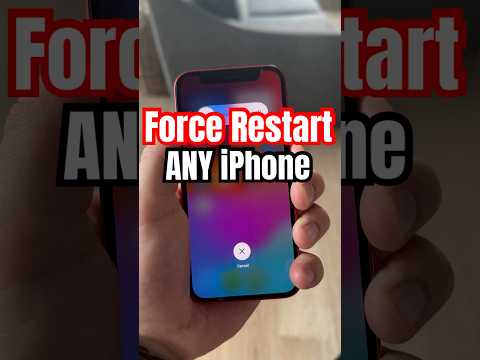
Executing a force restart on the iPhone 13 Pro Max requires a specific rhythmic sequence to trigger a hardware interrupt. This bypasses the software layer to cycle the power directly. Follow these steps precisely:
1. Press and quickly release the Volume Up button.
2. Press and quickly release the Volume Down button.
3. Press and hold the Side button (Power button). Continue holding even when the power-off slider appears.
4. Release the Side button only when the Apple logo appears on the screen.
It is critical to perform these actions in rapid succession. If the device initiates an Emergency SOS or simply displays the slider, the timing was likely too slow. This sequence ensures that the NVRAM is cleared and the operating system is forced to re-initialize all drivers and services from a cold boot state.
Why Force Restarting Enhances Software Efficiency
At Smart AI Fix, we view the force restart as a necessary maintenance step for power users. Modern iOS versions manage complex AI-driven tasks—such as On-Device Intelligence and live text recognition—which can occasionally leak memory. A force restart flushes the RAM and terminates stuck threads that standard restarts might miss. This is particularly useful if you notice a degradation in "Hey Siri" responsiveness or if automated Shortcuts fail to trigger due to process congestion.
AI Implementation Score
The following table evaluates the effectiveness of a force restart in maintaining an AI-optimized mobile environment:
| Metric | Score (1-10) | Technical Reasoning |
|---|---|---|
| Software Stability | 9/10 | Instantly resolves kernel-level freezes and UI lag. |
| Resource Optimization | 8/10 | Clears volatile memory occupied by hung background AI processes. |
| Automation Recovery | 10/10 | The primary fix for "ghost" automation triggers and Shortcut hangs. |
By mastering this hardware sequence, you ensure that your iPhone 13 Pro Max continues to operate at peak efficiency, providing the necessary overhead for the next generation of AI-integrated mobile applications.
