
Efficiency is the primary metric by which we measure a modern digital workflow. In the Android ecosystem, allowing software to stagnate is not just a performance bottleneck—it is a security risk. To maintain peak software optimization and leverage the latest AI-driven features integrated into your applications, a synchronized update strategy is essential.
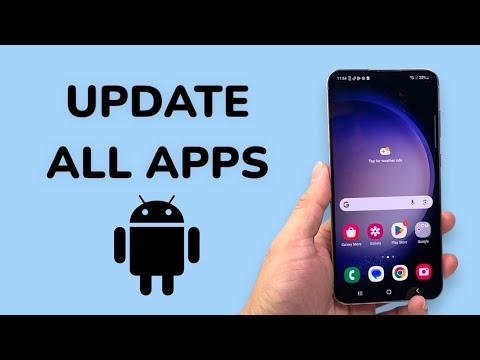
The Universal One-Click Method via Google Play Store
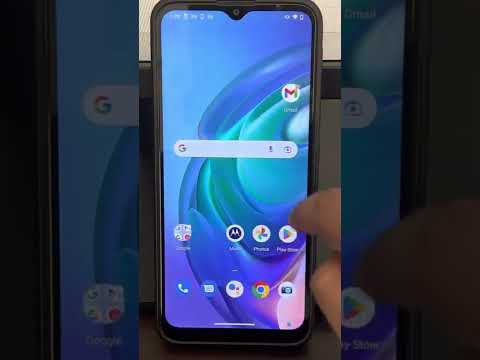
For the vast majority of Android devices, the Google Play Store acts as the central repository for application management. To update all installed applications simultaneously, follow these precise technical steps:
1. Launch the Google Play Store app on your device.
2. Tap your Profile Icon located at the top-right corner of the interface.
3. Select Manage apps & device.
4. Locate the "Updates available" section. Instead of reviewing individual entries, tap Update all.
This action triggers a sequential download and installation queue, utilizing the Play Store’s background service to patch vulnerabilities and improve stability across your entire app library.
Advanced Management for Samsung Galaxy Ecosystems

Samsung users operate within a dual-store environment. While the Play Store handles most third-party software, native Samsung applications (such as the Camera, Gallery, and System UI components) require the Galaxy Store for updates. Neglecting this second layer can lead to hardware-software desync.
1. Open the Galaxy Store app.
2. Tap the Menu icon (typically three horizontal lines) at the bottom right.
3. Select Updates.
4. Tap the Update all button at the top.
Leveraging Automation: The "Set and Forget" Strategy

From an AI efficiency standpoint, manual intervention is a suboptimal use of user resources. To automate this process, ensure your device is configured to handle updates autonomously during low-activity periods.
In the Play Store settings under Network preferences, set Auto-update apps to "Over Wi-Fi only." This allows the Android system to use its internal AI-driven power management to initiate updates when the phone is charging and connected to an unmetered network, ensuring no disruption to your active usage or data caps.
AI Implementation Score
The following table evaluates the impact of maintaining an updated Android environment through the lens of Smart AI Fix metrics:
| Metric | Score (1-10) | Impact Description |
|---|---|---|
| Security Integrity | 9.5 | Frequent patching mitigates zero-day vulnerabilities. |
| Automation Level | 8.0 | Background sync reduces manual maintenance time. |
| Software Synergy | 9.0 | Ensures API compatibility between apps and OS. |
| AI Feature Access | 10.0 | Required for latest LLM and ML integration in apps. |
By streamlining your update process into a single-click or fully automated routine, you ensure that your hardware is always running the most optimized binaries available, maximizing both longevity and user experience.
