
Apple’s integration of machine learning into the iOS ecosystem has evolved beyond simple predictive text. With the introduction of the Reduce Interruptions Focus mode, the operating system now utilizes on-device Large Language Models (LLMs) to analyze incoming notifications in real-time. This isn't a simple silent mode; it is an intelligent filter that distinguishes between a trivial social media update and a time-sensitive communication.
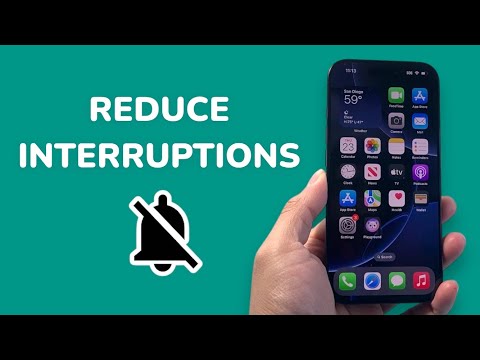
Understanding the AI Logic Behind Reduce Interruptions

Unlike traditional Focus modes that rely on manual "Allowed Apps" lists, Reduce Interruptions leverages Apple Intelligence to parse the context of a notification. If a message contains content that requires immediate attention—such as a change in meeting time or a family emergency—the AI bypasses the silence threshold. For technical professionals, this represents a significant leap in automation and cognitive load management.
Step-by-Step: Enabling the AI-Powered Focus Mode

To activate this feature, ensure your device is running iOS 18.1 or later and is compatible with Apple Intelligence (iPhone 15 Pro or iPhone 16 series). Follow these steps:
1. Open the Settings app on your iPhone.
2. Navigate to the Focus menu.
3. Tap the + (Plus) icon in the top right corner to create a new Focus.
4. Select Reduce Interruptions from the list of options. If you do not see it, ensure your Apple Intelligence features are fully downloaded and activated.
5. Follow the on-screen prompts to customize which people or apps can bypass the filter manually, though the Intelligent Breakthrough & Silencing toggle is what activates the AI engine.
6. Toggle the switch to On to begin the automated notification sorting.
AI Implementation Score
To evaluate the effectiveness of this feature for a high-efficiency workflow, we have rated the implementation based on several key technical metrics:
| Metric | Score (1-10) | Technical Justification |
|---|---|---|
| Contextual Accuracy | 8.5 | High precision in identifying urgent linguistic cues. |
| Automation Level | 9.0 | Eliminates the need for manual app-by-app whitelisting. |
| Latency | 9.5 | On-device processing ensures near-zero delay in delivery. |
| Privacy | 10.0 | Uses Private Cloud Compute and on-device processing. |
Maximizing Efficiency with Smart Activation

For the power user, Reduce Interruptions is best utilized when paired with Smart Activation. By enabling this in the Focus settings, your iPhone will use location data, app usage patterns, and calendar events to turn the mode on automatically. This creates a seamless transition between deep work sessions and casual usage without manual intervention, representing the pinnacle of software-driven productivity.
