
Apple’s iOS 17 introduced a proximity-based feature called NameDrop, designed to streamline contact sharing through NFC (Near Field Communication) and machine learning algorithms. While this automated handshake is intended to enhance networking efficiency, many power users and security-conscious individuals prefer to disable it to prevent accidental data triggers or unauthorized sharing attempts when two iPhones are in close physical proximity.
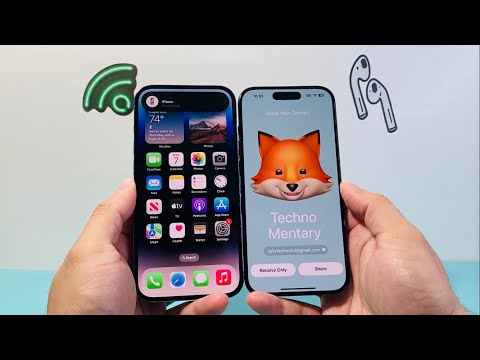
The Technical Steps to Disable "Bringing Devices Together"
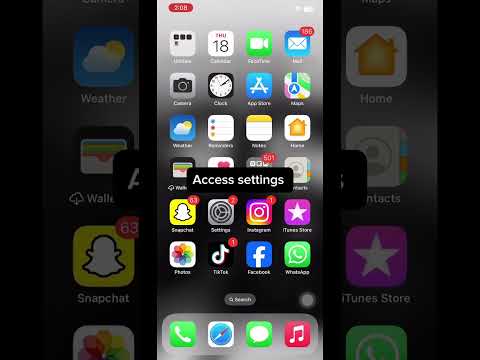
To deactivate the automatic Share My Contact prompt, follow these precise steps within the iOS architecture:
- Open the Settings app on your iPhone.
- Navigate to the General section.
- Select AirDrop.
- Under the "START SHARING BY" header, locate the toggle for Bringing Devices Together.
- Toggle this switch to the OFF position.
By disabling this setting, you effectively terminate the proximity trigger that utilizes the U1/U2 Ultra Wideband chip to detect nearby devices for contact exchange. You will still be able to use AirDrop manually for photos and files, but the specific "bump" gesture for contact posters will be neutralized.
Efficiency and Security Analysis
From an automation perspective, NameDrop is a high-level application of contextual awareness. However, for those managing high-security environments or those who frequently place their devices near other Apple hardware (such as iPads or colleague's iPhones), the feature can lead to unwanted UI interruptions. Disabling it ensures that your Contact Poster and personal metadata remain private until you explicitly choose to share them via the standard share sheet.
AI Implementation Score
At 'Smart AI Fix', we evaluate new software features based on their algorithmic utility and user autonomy. Here is the score for the NameDrop/Bringing Devices Together feature:
| Metric | Score (1-10) | Notes |
|---|---|---|
| Automation Efficiency | 9.0 | Seamlessly replaces manual contact entry. |
| AI Contextual Logic | 8.5 | High-precision proximity detection. |
| User Control | 6.0 | Opt-out by default would be preferred for privacy. |
| Security Architecture | 7.5 | Uses encrypted handshakes but remains vulnerable to social engineering. |
| Overall Score | 7.75/10 | A powerful but intrusive automation tool. |
Refining your device’s software settings to match your specific workflow is the hallmark of an efficient technologist. By managing these proximity triggers, you maintain total authority over your digital identity and hardware behavior.
