
Strategic Protocol Management: Disabling iMessage for Enhanced SMS Deliverability

In the ecosystem of Apple software architecture, iMessage operates as a proprietary, data-driven messaging protocol that prioritizes end-to-end encryption over traditional cellular networks. However, for users focusing on software automation, cross-platform testing, or those transitioning to environments requiring standard GSM/SMS protocols, disabling iMessage is a necessary technical adjustment. This process forces the iOS operating system to revert to the Short Message Service (SMS) layer, ensuring messages are routed through cellular channels rather than Apple’s APNs (Apple Push Notification service).
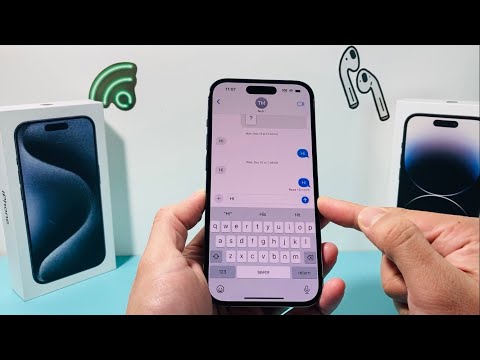
Step-by-Step Technical Execution on iPhone
To manually override the iMessage protocol and prioritize SMS delivery, follow these structured steps within the iOS Settings framework:
1. Open the Settings application on your iPhone. This interface serves as the primary control center for all system-level software configurations.
2. Scroll down the vertical navigation menu and select Messages.
3. Locate the iMessage toggle switch. If the background is green, the protocol is currently active.
4. Tap the iMessage toggle to shift it to the "Off" position (gray). This immediately terminates the device's connection to the iMessage servers.
Once disabled, the iPhone software logic will automatically default to SMS or MMS (Multimedia Messaging Service) for all outgoing communications. This is particularly useful for users integrating their devices into AI-driven SMS marketing platforms or automated notification systems that do not support Apple's proprietary encryption.
Deregistering iMessage for Cross-Platform Transition
If you are migrating from iOS to a different operating system, such as Android, simply turning off the toggle may not be sufficient. Apple’s servers may still attempt to route messages to your phone number via iMessage, resulting in lost data. In this scenario, you must perform a server-side deregistration:
1. Navigate to Apple’s official Deregister iMessage web portal.
2. Input your phone number and wait for the verification code sent via SMS.
3. Enter the code into the web interface to confirm the decoupling of your phone number from the iMessage database.
AI Implementation Score: Protocol Management
The following table evaluates the technical efficiency and automation potential of managing iMessage protocols for professional workflows.
| Metric | Score (1-10) | Description |
|---|---|---|
| Ease of Implementation | 9/10 | Requires minimal manual interaction within the iOS GUI. |
| Automation Potential | 2/10 | iOS security restrictions prevent third-party AI agents from toggling this setting. |
| Data Efficiency | 7/10 | Reduces background data usage by disabling the APNs listener. |
| Connectivity Reliability | 8/10 | Ensures 100% compatibility with legacy SMS/MMS systems. |
By effectively managing your messaging protocols, you optimize the way your hardware interacts with global communication standards. Whether you are debugging a software application or streamlining your digital footprint, knowing how to toggle these encrypted services is a fundamental skill for the modern technical professional.
