
Efficient Software Distribution: Mastering AirDrop for App Sharing

In the ecosystem of high-efficiency software management, manual searching in the App Store is a redundant process. Leveraging AirDrop for app sharing represents a frictionless method to synchronize toolsets across devices. At Smart AI Fix, we prioritize workflows that eliminate friction, and AirDrop serves as the primary protocol for localized, peer-to-peer data transmission on iOS and iPadOS.
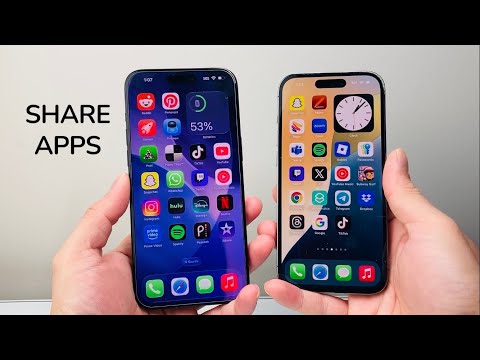
The Technical Workflow: How to Share Apps via AirDrop

To initiate a share, ensure that both devices have Bluetooth and Wi-Fi enabled and that AirDrop visibility is set to "Contacts Only" or "Everyone for 10 Minutes." Follow these precise steps to transmit the application metadata:
1. Locate the Source: On your Home Screen or within the App Library, perform a long-press (Haptic Touch) on the icon of the app you wish to share.
2. Access the Share Sheet: From the contextual menu that appears, select "Share App." This action triggers the iOS system share sheet, which prepares a secure link to the application’s App Store entry.
3. Select AirDrop: Tap the AirDrop icon located in the first row of sharing options. The system will then scan for active, nearby Apple devices.
4. Identify the Target: Tap the name or avatar of the target recipient. The receiving device will immediately see a prompt to open the application link within their native App Store environment.
Security and Logic Behind the Protocol

It is important to note that AirDrop does not transfer the compiled binary or user data of the application. Instead, it utilizes systemic automation to share a cryptographic link to the App Store. This ensures that the recipient always downloads a version of the software compatible with their specific hardware and operating system version, maintaining security integrity and preventing the spread of corrupted files.
AI Implementation Score: AirDrop App Sharing
We evaluate this feature based on its contribution to automated workflows and user experience efficiency.
| Metric | Score (1-10) | Technical Justification |
|---|---|---|
| Friction Reduction | 9.5 | Eliminates manual keyword input in the App Store. |
| Automation Potential | 7.0 | Limited to manual initiation but highly optimized for speed. |
| Security Architecture | 10.0 | Relies on Apple’s sandboxed environment and encrypted P2P links. |
| Ecosystem Synergy | 9.0 | Seamless integration between iPhone, iPad, and Mac. |
By integrating AirDrop into your professional software deployment habits, you reduce the cognitive load required for team-wide tool adoption. It is a simple yet powerful example of how localized networking can enhance software accessibility without the need for complex MDM (Mobile Device Management) solutions for individual users.
