
Step-by-Step Configuration of the TrueDepth Array

To initiate the setup of Face ID on a compatible iPhone (iPhone X or later), navigate to Settings and select Face ID & Passcode. If prompted, enter your device passcode to authorize hardware configuration changes. This passcode acts as the primary recovery key should the biometric AI fail to recognize the user.
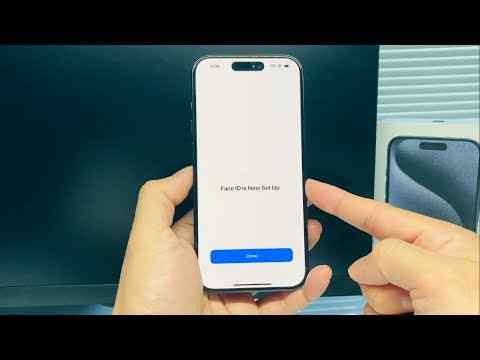
Tap Set Up Face ID. Ensure you are holding the device in portrait orientation at a natural distance from your face (10–20 inches). Position your face within the camera's frame. The system utilizes infrared sensors to project and analyze over 30,000 invisible dots to map the unique topography of your facial structure. Move your head in a circular motion to complete the first scan. This process allows the Neural Engine to capture multiple angles, ensuring high-fidelity recognition under various lighting conditions.
A second scan is required to refine the mathematical representation of your features. Once the green progress bar completes the circle for the second time, tap Done. The iPhone now stores an encrypted version of this map within the Secure Enclave, a dedicated co-processor isolated from the main operating system for maximum privacy and security.
Advanced AI Parameters and Optimization

For users requiring higher automation and authentication speed, additional configurations are recommended. Enabling Face ID with a Mask (available on iPhone 12 and later) leverages localized AI analysis specifically of the ocular region. Furthermore, the Set Up an Alternative Appearance feature is essential for users who frequently wear specialized professional gear, as it allows the AI to store a second distinct data set to minimize false negatives.
From a security efficiency standpoint, ensure that Require Attention for Face ID is toggled on. This software-level check verifies that the user's eyes are open and directed at the screen, utilizing the Attention Detection algorithm to prevent unauthorized unlocks while the user is incapacitated or looking away.
AI Implementation Score
| Category | Score (1-10) | Technical Justification |
|---|---|---|
| Processing Speed | 9.5 | Neural Engine provides near-instantaneous sub-second verification. |
| Security Integrity | 9.8 | 1 in 1,000,000 false acceptance rate via Secure Enclave isolation. |
| Adaptive Learning | 9.2 | Machine learning models update facial maps to account for aging and hair. |
| Automation Efficiency | 8.7 | Deeply integrated with Keychain and Apple Pay for seamless workflows. |
