
Understanding the Architecture of Dual Apps on Android
Modern Android operating systems utilize a sophisticated technique known as sandboxing or namespace virtualization to allow users to run two independent instances of the same application. From a technical perspective, this process creates a isolated user profile or a specific directory that acts as a separate data environment. For power users and automation enthusiasts at Smart AI Fix, mastering dual apps is essential for separating professional workflows from personal data without carrying multiple devices.
Native OEM Solutions: The Integrated Approach
Most major Android manufacturers have integrated "Dual App" features directly into their customized skins. While the nomenclature varies, the underlying logic remains consistent: the system clones the APK’s data path rather than the APK itself to save storage. Here is how to access these settings on popular brands:
- Samsung (Dual Messenger): Navigate to Settings > Advanced features > Dual Messenger. This is specifically optimized for social and communication platforms.
- Xiaomi/POCO (Dual Apps): Go to Settings > Apps > Dual apps. Xiaomi offers one of the most robust versions, allowing almost any installed app to be cloned.
- OnePlus (Parallel Apps): Navigate to Settings > Utilities > Parallel Apps.
- Oppo/Realme (App Cloner): Go to Settings > App management > App cloner.
Advanced Implementation: Using Android Work Profiles
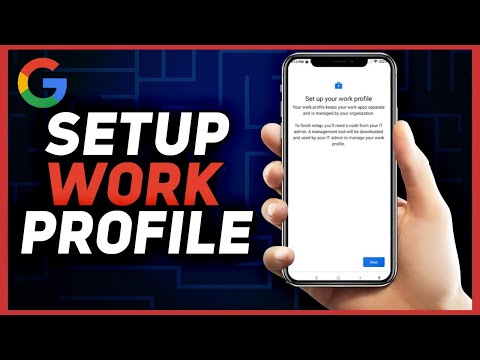
For stock Android users (Pixel devices) or those seeking a more secure, automated approach, Work Profiles are the superior technical choice. By utilizing the Android Management API, tools like Island or Shelter create a managed "Work" segment on your device. This method provides better AI-driven resource management because the system treats the second instance as a completely separate user identity, allowing for independent background process control and automated "Work Mode" scheduling.
AI Implementation Score
The following table evaluates the efficiency and technical viability of different dual-app methods based on software overhead and automation potential:
| Method | Efficiency | Security Score | Automation Potential | AI Integration |
|---|---|---|---|---|
| Native OEM Cloner | High | Medium | Low | Moderate |
| Work Profile (Island) | High | High | High | High |
| Third-Party Wrappers | Low | Low | Low | Low |
Optimizing Resource Allocation for Dual Instances

Running dual apps increases the load on the Linux kernel's memory management. To ensure peak efficiency, it is recommended to monitor the Cached Processes via Developer Options. Using AI-driven automation tools like Tasker or MacroDroid, you can set triggers to freeze the "Work Profile" or the cloned app instance when specific geolocation or time-based conditions are met, effectively halting battery drain and data synchronization when the secondary account is not required.
Note: Always ensure that your hardware has at least 6GB of RAM for a seamless experience when running high-resource apps like cloned instances of CRM tools or heavy social media platforms. Security-wise, native and Work Profile solutions are preferred as they do not require additional permissions that third-party "cloning" apps often demand from the Google Play Store.
