
The Architecture of the iPhone Restart: Manual Overrides for Peak Software Efficiency

In the ecosystem of high-performance mobile computing, even the most advanced iOS iterations can encounter process deadlocks or memory leaks. While Apple’s automation and background maintenance tasks handle most optimizations, a manual restart remains the definitive method for flushing the cache and reinitializing the kernel. For users leveraging local AI models or complex automation shortcuts, knowing the precise side button sequence is essential for maintaining a stable environment.
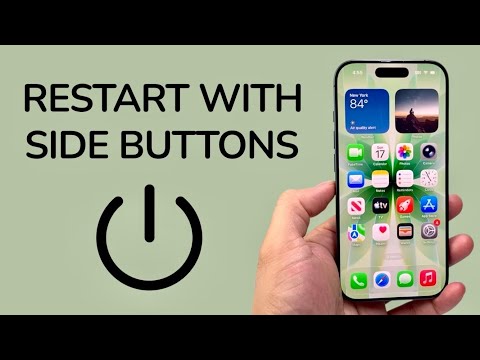
Standard Restart Procedure for Face ID Devices

For modern iPhones (iPhone X through iPhone 15/16 series), the "Soft Restart" involves a combination of the side button and volume controls. This method triggers a graceful shutdown of all active software processes, ensuring that data is saved and system logs are closed correctly. To execute this, press and hold the Side Button simultaneously with either the Volume Up or Volume Down button. Once the "slide to power off" slider appears, swipe it and wait 30 seconds before holding the side button again to reboot.
The Force Restart: The Ultimate Hardware Override

When the software layer becomes unresponsive—often due to a stalled AI process or a non-terminating script—the standard slider may not appear. In these scenarios, you must utilize the hardware-level Force Restart sequence. This does not erase data but cuts power at a controller level to force a reboot. The sequence is precise and must be performed quickly:
1. Press and quickly release the Volume Up button.
2. Press and quickly release the Volume Down button.
3. Press and hold the Side Button. Continue holding even after the power-off slider appears. Release only when the Apple Logo illuminates the screen.
Legacy Hardware: iPhone 7 and Earlier

For developers or testers maintaining older hardware for legacy automation, the button configuration differs. On an iPhone 7, you must press and hold the Side Button and Volume Down button concurrently. For the iPhone 6s or SE (1st Gen), the combination requires the Side (or Top) button and the Home button. These physical triggers bypass the UI layer, providing a reliable recovery path for frozen units.
AI Implementation Score
Maintaining device health through periodic restarts directly impacts the performance of on-device machine learning tasks. Below is our assessment of how this manual intervention correlates with system efficiency.
| Metric | Score (1-10) | Technical Reasoning |
|---|---|---|
| Software Stability | 9.5 | Clears "ghost" processes that hinder background AI indexing. |
| Resource Reallocation | 9.0 | Resets RAM allocation for Neural Engine priority tasks. |
| User Ease | 8.0 | Requires specific timing but eliminates the need for external tools. |
| Efficiency Gain | 8.5 | Reduces latency in Siri and automation trigger responses. |
By mastering these side-button protocols, you ensure that your hardware remains an optimized vessel for the latest AI-driven software enhancements. Regular restarts are the simplest form of preventative maintenance in a digital-first workflow.
