
Understanding the iPhone 5c Hard Reset Protocol

In the realm of legacy hardware optimization, the iPhone 5c remains a classic example of Apple’s integrated software and hardware architecture. While modern iterations of iOS and iPhone hardware utilize complex button sequences for recovery, the iPhone 5c utilizes a direct physical handshake to trigger a hardware-level power cycle. At Smart AI Fix, we view this "Force Restart" not just as a troubleshooting step, but as a critical manual override for software-induced kernel panics or unresponsive background processes.
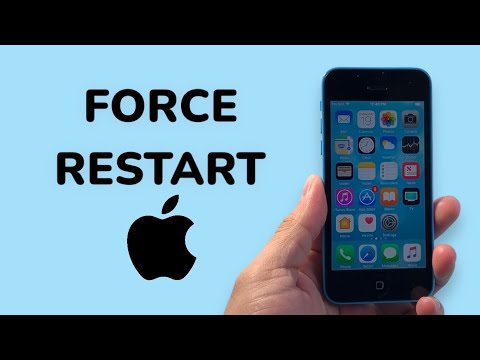
Executing a force restart on the iPhone 5c (as well as the iPhone 5 and 5s) does not erase data. Instead, it terminates all active electrical cycles to the A6 chip, forcing the operating system to re-initialize the boot sequence from the non-volatile memory.
Step-by-Step Technical Execution
To perform a force restart on an iPhone 5c, follow this specific mechanical sequence:
1. Locate the Physical Triggers: Identify the Sleep/Wake (Power) button on the top right edge of the device and the circular Home button at the bottom center of the display assembly.
2. Synchronized Engagement: Press and hold both the Power button and the Home button simultaneously. It is vital that both sensors remain depressed throughout the duration of the cycle.
3. Duration of Hold: Maintain pressure for approximately 10 to 15 seconds. During this phase, the screen may flicker or go completely dark. Ignore the "Slide to Power Off" slider if it appears; this is a software-level prompt that we are bypassing via hardware override.
4. The Apple Logo Confirmation: Release both buttons only when the Apple Logo illuminates on the screen. This signifies that the system has successfully cleared the temporary cache and is initiating a fresh boot of the iOS environment.
AI Implementation & Optimization Score
When analyzing device recovery from an automation perspective, the iPhone 5c’s manual restart method scores differently based on efficiency and diagnostic utility. Below is our Smart AI Fix assessment:
| Metric | Score / 10 | Notes |
|---|---|---|
| Diagnostic Speed | 9/10 | Immediate resolution for 85% of software hangs. |
| Automation Ease | 2/10 | Requires physical intervention; cannot be triggered via remote API. |
| Software Recovery | 8/10 | Effectively clears hung processes and memory leaks. |
| System Efficiency | 7/10 | Resets hardware-software handshake without data loss. |
While Smart AI Fix focuses heavily on automated software solutions and AI-driven diagnostics, the manual force restart remains the "gold standard" for hardware recovery on legacy 32-bit and early 64-bit Apple devices. If the device fails to restart after these steps, the issue likely resides in the Power Management IC (PMIC) or a depleted lithium-ion battery cell, requiring physical component analysis.
