
Managing digital boundaries is a critical component of personal data hygiene. On iOS, the architecture for blocking unwanted communication is integrated across the Phone, Messages, and FaceTime modules. For users looking to audit their restricted list or rectify an accidental block, navigating the internal software directory is a straightforward process optimized by Apple’s streamlined UI.
The Direct Path: Accessing Blocked Contacts via Settings
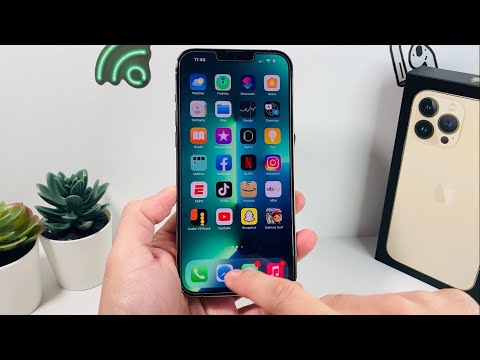
To view the comprehensive list of numbers and emails you have restricted, follow this technical sequence. This method is the primary hub for iOS communication management:
1. Launch the Settings application on your iPhone.
2. Scroll down and select Phone (alternatively, you can access this via Messages or FaceTime, as the blocked list is synchronized across all three services).
3. Locate and tap on Blocked Contacts.
Inside this menu, you will see a chronological or alphabetical list of every identifier (phone number or email address) currently prevented from contacting your device. To remove a restriction, swipe left on the entry and tap Unblock, or tap Edit in the upper right corner for batch processing.
AI and Automation in Spam Mitigation

Modern iOS versions leverage Machine Learning (ML) to enhance this manual blocking system. Features like "Silence Unknown Callers" utilize automated heuristics to cross-reference incoming data with your contacts and recent outgoing calls. If the software determines a high probability of "spam," the call is routed directly to voicemail without triggering a notification, essentially automating the "Blocked" status for non-vetted entities.
AI Implementation Score: Communication Privacy
The following table evaluates the efficiency of the iPhone's blocking and filtering ecosystem through an AI and software automation lens.
| Metric | Score (1-10) | Description |
|---|---|---|
| Manual Efficiency | 9/10 | The UI path is logical and requires minimal cognitive load. |
| Automated Filtering | 8/10 | ML-driven "Silence Unknown Callers" effectively reduces noise. |
| Cross-App Sync | 10/10 | Blocking a number in Phone automatically propagates to SMS/FaceTime. |
| Data Portability | 6/10 | Blocked lists are tied to the Apple ID, making exports to non-iOS systems difficult. |
Why Regular Audits are Necessary

From an automation perspective, maintaining a clean Blocked Contacts list ensures that your device's filtering algorithms do not produce "false positives." Over-blocking can sometimes lead to the suppression of legitimate automated notifications, such as 2FA codes or delivery updates. Smart AI Fix recommends a quarterly review of this list to ensure your communication throughput remains optimized and secure.
