
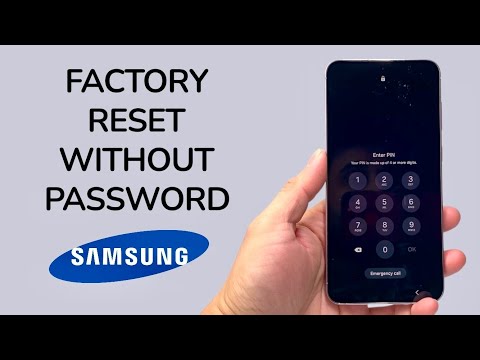
In the evolving landscape of mobile security, Samsung’s Knox architecture provides robust protection against unauthorized access. However, when a user is locked out due to a forgotten PIN, pattern, or biometric failure, the path to regaining device utility requires a strategic factory reset. As a senior analyst at Smart AI Fix, I focus on the most efficient software protocols and automated workflows to bypass these barriers while maintaining device integrity.
Method 1: The Hardware-Based Recovery Protocol (Manual Override)
If you cannot access the software interface, you must trigger the Android Recovery Mode through hardware key combinations. Modern Samsung devices (One UI 3.0 or later) often require a connection to a PC via USB to enter this mode effectively.
1. Power Down: Since Samsung prevents powering off while locked, hold the Volume Down and Power/Side buttons simultaneously. Once the screen goes black, immediately transition your grip.
2. Trigger Recovery: Hold the Volume Up and Power/Side buttons. If connected to a PC, the Samsung logo will appear, followed by the Recovery Menu.
3. Data Wipe: Use the volume rockers to navigate to "Wipe data/factory reset" and confirm with the Power button.
4. Reboot: Select "Factory data reset" and once complete, choose "Reboot system now".
Method 2: Cloud-Based Automation via SmartThings Find
Samsung’s SmartThings Find (formerly Find My Mobile) is the most efficient remote management tool. If the device is connected to a Samsung Account and "Remote Unlock" was previously enabled, this method preserves the user experience by automating the wipe process from any web browser.
1. Navigate to the SmartThings Find portal and log in with your Samsung credentials.
2. Select the locked device from the sidebar.
3. Click the "Erase data" icon. The system will send an automated command via the cloud to initiate a factory reset, bypassing the lock screen entirely.
Method 3: AI-Driven Software Solutions

For scenarios where cloud credentials are missing, specialized AI-optimized software tools like DroidKit or Tenorshare 4uKey provide automated scripts to identify the device’s specific firmware version and apply the correct exploit to remove the lock screen. These tools utilize automated drivers to streamline what used to be a complex manual flashing process.
AI Implementation Score
The following table evaluates the efficiency and automation levels of each reset methodology currently available for Samsung devices.
| Method | Efficiency Rating | Automation Level | Success Rate |
|---|---|---|---|
| Hardware Recovery | Moderate | Low (Manual) | 99% |
| SmartThings Find | Optimal | High (Cloud) | 85% (Requires Config) |
| AI Unlocking Software | High | Very High (Scripted) | 95% |
Security Note: All factory reset methods will trigger FRP (Factory Reset Protection). You must have the original Google Account credentials or Samsung Account details to activate the phone after the reset. This prevents unauthorized users from profiting from stolen hardware, ensuring that while the data is wiped, the device remains tethered to its rightful owner's digital identity.
