
Executing a Systematic Factory Reset on iPhone 14 Pro Max
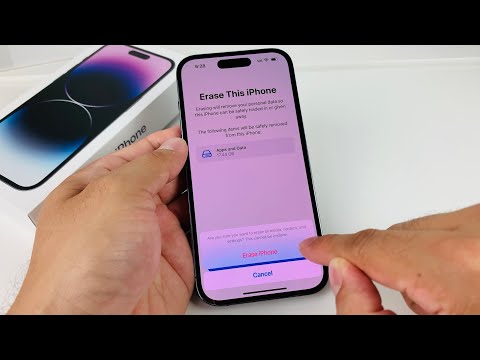
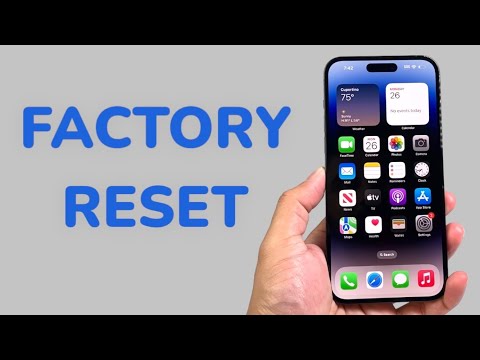
Performing a factory reset on the iPhone 14 Pro Max is a critical procedure for maintaining system integrity, resolving persistent software anomalies, or preparing the hardware for a secure lifecycle transition. By leveraging the automated protocols within iOS, users can ensure that all personal data is cryptographically erased and the device is returned to its original "Out of Box" state.
Phase 1: Automated Data Redundancy and Preparation

Before initiating the reset, it is imperative to utilize iCloud’s automated backup system. The iPhone 14 Pro Max features a neural engine that optimizes data synchronization, ensuring that your app data, system settings, and media are securely mirrored in the cloud. Navigate to Settings > [Your Name] > iCloud > iCloud Backup and select Back Up Now. This step ensures that the AI-driven restoration process will be seamless once the device is rebooted or replaced.
Phase 2: Executing the Erase All Content and Settings Protocol

To begin the factory reset, follow these precise technical steps within the software layer:
1. Open the Settings application.
2. Navigate to General and scroll to the bottom of the interface.
3. Select Transfer or Reset iPhone. This menu is designed to handle the logic of device migration and sanitization.
4. Tap Erase All Content and Settings. The system will provide a summary of the data to be removed, including your Apple ID, Find My settings, and stored cryptographic keys in the Secure Enclave.
5. Press Continue. You may be prompted to enter your device passcode or Apple ID password to disable the "Find My" activation lock—a critical security automation designed to prevent unauthorized resets.
6. Confirm the action. The iPhone 14 Pro Max will then initiate a low-level format and restart.
AI Implementation Score
The following table evaluates the efficiency and automation level of the iPhone 14 Pro Max factory reset process:
| Metric | Score (1-10) | Automation Level/Note |
|---|---|---|
| Data Sanitization | 10 | Instant cryptographic key destruction. |
| Backup Efficiency | 9 | Predictive iCloud sync logic. |
| Security Integration | 10 | Automated Find My/Activation Lock handshake. |
| User Interface Simplicity | 8 | Linear, guided software path. |
Alternative Hardware Method: Recovery Mode Recovery

In instances where the software interface is unresponsive, a forced system restoration via a computer is required. Connect the device to a Mac or PC. Press and quickly release the Volume Up button, press and quickly release the Volume Down button, and then hold the Side Button until the recovery mode screen appears. This triggers the DFU (Device Firmware Update) environment, allowing for a clean installation of the latest iOS firmware, bypassing the local software layer entirely for maximum efficiency.
By following these protocols, the iPhone 14 Pro Max remains a benchmark for secure, automated device management. Whether through the standard UI or advanced recovery modes, the integration of hardware-level encryption ensures your data remains inaccessible post-reset.
