
Maintaining a clean data ecosystem is vital for hardware longevity and peak software performance. Whether you are preparing your device for resale or troubleshooting a persistent software glitch, knowing how to Erase All Content and Settings on an iPhone is a fundamental skill for any power user. This process utilizes the built-in iOS automation to securely wipe the encryption keys, rendering the data unrecoverable while restoring the operating system to its factory state.
Pre-Reset Protocols: Data Integrity and Security
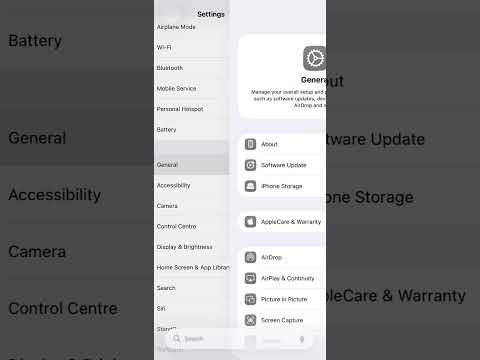
Before triggering the erasure sequence, it is imperative to ensure your data is synchronized with your cloud-based AI workflows. Perform a final iCloud Backup by navigating to Settings > [Your Name] > iCloud > iCloud Backup > Back Up Now. Furthermore, ensure you have your Apple ID credentials ready, as the Activation Lock feature will require them to verify the owner's identity during the reset process.
Step-by-Step Technical Guide to Factory Reset
Apple has streamlined this process in recent versions of iOS to ensure that even complex tasks like deauthorizing "Find My" and removing eSIMs are handled within a single workflow. Follow these steps to execute a complete wipe:
1. Open the Settings application on your iPhone.
2. Navigate to General and scroll to the bottom of the interface.
3. Select Transfer or Reset iPhone.
4. Tap on Erase All Content and Settings.
At this stage, the iOS system will provide a summary of the data to be removed, including your Apple ID, Find My settings, and Apple Wallet data. Tap Continue. You will be prompted to enter your device passcode. If prompted, the device will attempt to upload any remaining data to iCloud before the final execution. Once confirmed, the iPhone will reboot and initiate the cryptographic erasure of the storage drive.
Optimizing AI Efficiency Post-Reset

From a Smart AI Fix perspective, a factory reset is the ultimate "soft reboot" for your device's local machine learning models. Over time, cached data and fragmented settings can degrade the efficiency of on-device AI features like Siri, predictive text, and FaceID. By performing a clean install, you allow the Neural Engine to rebuild its optimization pathways from scratch, often resulting in improved battery life and faster app response times.
AI Implementation Score
The following table evaluates the efficiency and security of the "Erase All Content and Settings" protocol compared to manual data deletion.
| Metric | Score (1-10) | Technical Justification |
|---|---|---|
| Automation Ease | 9.5 | iOS automates the removal of Find My and Cloud services in one tap. |
| Data Security | 10.0 | Utilizes cryptographic erasure, making data recovery virtually impossible. |
| AI Model Reset | 8.5 | Effectively flushes the local cache for Siri and Predictive Engine. |
| Time Efficiency | 9.0 | Typically takes less than 10 minutes on modern NVMe storage. |
By following this technical procedure, you ensure that your iPhone remains a secure, high-performance node within your digital environment. Always remember that once the "Erase" command is finalized, the action is irreversible without a secondary backup.
