
The transition from HEIC (High Efficiency Image Container) to the legacy JPG format is a common friction point for professionals managing cross-platform workflows. While HEIC offers superior compression—saving up to 50% more storage space without compromising visual fidelity—its lack of universal compatibility necessitates a streamlined conversion process. At Smart AI Fix, we prioritize automation and software efficiency to eliminate these digital bottlenecks.

Method 1: The Files App Native Conversion

The most efficient way to convert images without third-party software is by utilizing the iOS native Files app. This method leverages the system's built-in image processing engine to handle batch conversions seamlessly.
To execute this: First, open your Photos app and select the images you need to convert. Tap the Share icon and select Copy Photos. Navigate to the Files app, long-press in an empty area within a folder, and select Paste. The iOS system automatically detects the destination environment and converts the HEIC files into high-quality JPGs during the transit process.
Method 2: Automating with iOS Shortcuts
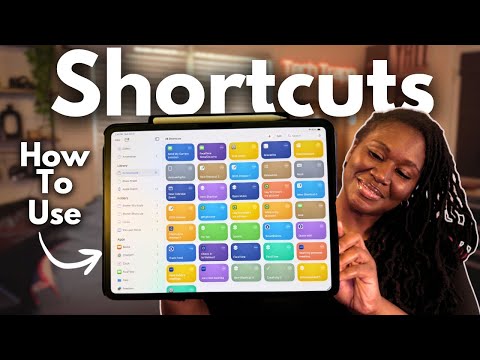
For users seeking high-level efficiency, creating a Shortcuts automation is the superior choice. This allows for a one-tap conversion process that can handle hundreds of images through the iPhone's neural engine.
Open the Shortcuts app and create a new shortcut. Add the action Select Photos (enable "Select Multiple"). Next, add the Convert Image action and set the output to JPEG. Finally, add a Save to Photo Album action. This script-based approach bypasses the manual steps of copying and pasting, offering a scalable solution for power users.
Method 3: Adjusting System Capture Settings
If your workflow consistently requires JPG files, you can automate the output at the hardware level. By navigating to Settings > Camera > Formats and selecting Most Compatible, the iPhone will bypass HEIC entirely and capture all new images in JPG format. While this reduces storage efficiency, it eliminates the need for post-processing conversion entirely.
AI Implementation Score
In our assessment of efficiency and technical execution, we rate these methods based on their automation potential and ease of use.
| Metric | Score (1-10) | Notes |
|---|---|---|
| Efficiency | 9/10 | Native processing is near-instant. |
| Automation Potential | 10/10 | Shortcuts allow for infinite scalability. |
| Data Integrity | 8/10 | Minimal metadata loss during JPG compression. |
| User Accessibility | 9/10 | No third-party apps required. |
By leveraging these internal iOS features, you can ensure your visual data remains accessible across all platforms while maintaining the high standards of digital workflow optimization. Whether you choose the manual Files method or the automated Shortcut route, the objective is to reduce "time-to-task" and enhance software interoperability.
