
Navigating the sophisticated architecture of a modern Samsung Galaxy device requires an understanding of how One UI indexes hardware and network metadata. Whether you are configuring a new eSIM profile or managing automated workflows that require SMS verification, knowing exactly where your device stores its identity is critical for maintaining digital efficiency.
Method 1: Direct System Query via Settings
The most reliable way to retrieve your phone number is through the core system settings. Samsung’s software utilizes a centralized directory for all SIM-related data, ensuring that the information is pulled directly from the network provider's handshake protocols.
1. Swipe down to access the notification shade and tap the Settings (gear) icon.
2. Scroll to the absolute bottom of the interface and select About Phone.
3. In the header section of this menu, you will see Phone number clearly labeled. If you are using a Dual-SIM setup, the system will display both "Phone number (SIM 1)" and "Phone number (SIM 2)".
Method 2: AI-Driven Voice Retrieval

For users prioritizing automation and hands-free interaction, Samsung’s integration with Google Assistant and Bixby offers a faster alternative. These AI assistants bypass the graphical user interface (GUI) to query the system database directly via Natural Language Processing (NLP).
Simply activate your assistant and use the command: "Hey Google, what is my phone number?" The AI will parse the device's internal identification logs and present a visual card with the data. This method is highly efficient for users managing complex software environments where manual navigation is a bottleneck.
Method 3: SIM Status Optimization
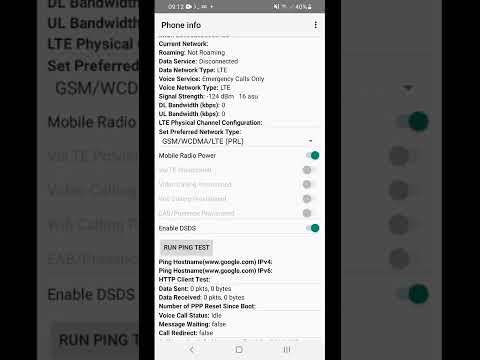
If the number appears as "Unknown" in the standard menu, it indicates a handshake latency between the software and the SIM hardware. To fix this through software optimization:
1. Go to Settings > Connections > SIM Manager.
2. Ensure the SIM is toggled to 'On'.
3. Tap on the specific SIM to view the 'More information' tab, which forces the OS to re-read the metadata stored on the physical or electronic SIM card.
AI Implementation Score
| Metric | Score (1-10) | Technical Notes |
|---|---|---|
| Data Retrieval Speed | 9.5 | Instant access via About Phone indexing. |
| AI Integration | 8.0 | Bixby/Google Assistant NLP support is robust. |
| Automation Potential | 7.5 | High potential for tasker-based script automation. |
| Software Stability | 9.0 | One UI 6.0+ provides consistent metadata reporting. |
By understanding these technical pathways, Samsung users can ensure their digital identity is always accessible, facilitating smoother transitions when setting up new accounts or troubleshooting network configurations. Utilizing AI assistants further streamlines this process, embodying the efficiency we strive for at Smart AI Fix.
