
Determining the exact purchase date of an iPhone is a critical step for verifying warranty status, assessing resale value, or managing a fleet of enterprise devices. While Apple does not always display a "Date of Purchase" label directly in the settings, the metadata synced with Apple ID and the hardware's Serial Number provides a definitive trail that can be accessed through software automation and native tools.
Method 1: Native iOS Coverage Metadata

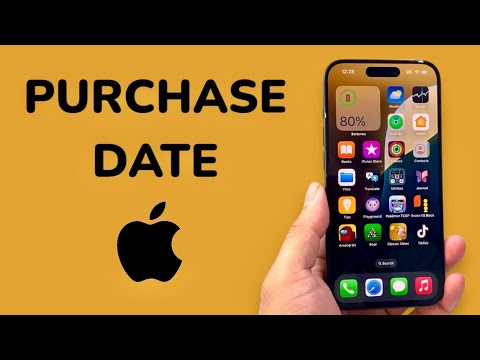
The most direct way to retrieve purchase information is through the device's internal settings. Modern versions of iOS (15 and later) surface warranty information which is directly tied to the initial activation date. To access this, navigate to Settings > General > About. Tap on Coverage or Limited Warranty. Here, you will see an expiration date. Since Apple’s standard limited warranty lasts exactly 365 days from the date of purchase/activation, you can subtract one year from this date to find your estimated purchase date.
Method 2: Automated Verification via Apple Support App
For users managing multiple devices, the Apple Support app offers a more streamlined, centralized dashboard. By logging in with your iCloud credentials, the app uses automated data synchronization to pull the service history for every device linked to your account. Under the "My Devices" section, selecting a specific iPhone will reveal its Repairs & Service Coverage. This method is highly efficient as it eliminates the need to manually input serial numbers, leveraging the ecosystem's internal database to provide real-time status updates.
Method 3: Serial Number Analysis via Web Tools

If you are checking a device that is not currently set up or belongs to a third party, you can use the Apple Check Coverage website. You will need the Serial Number or IMEI, which can be found on the SIM tray, the original box, or the "About" screen. By entering this string into Apple’s official portal, the system's automated verification engine will confirm if the purchase date has been validated. If the device is brand new and never activated, the system will state that the device has not yet been registered.
AI Implementation Score
To evaluate how these methods align with modern efficiency and automation standards, we have assigned an AI Implementation Score based on speed, data accuracy, and ease of use.
| Method | Automation Level | Data Accuracy | AI Implementation Score |
|---|---|---|---|
| On-Device Settings | Medium | High | 7/10 |
| Apple Support App | High | Highest | 9/10 |
| Web-Based Check | Low | High | 6/10 |
Automating the Workflow for Enterprise

For tech professionals managing bulk hardware, manual checking is inefficient. Utilizing Mobile Device Management (MDM) software allows for the automated extraction of purchase records and warranty statuses via Apple’s Business Manager API. This software-driven approach ensures that hardware refresh cycles are optimized without manual intervention, representing the pinnacle of administrative efficiency in the Apple ecosystem.
