
Automating Android Personalization: Dynamic Lock Screen Systems
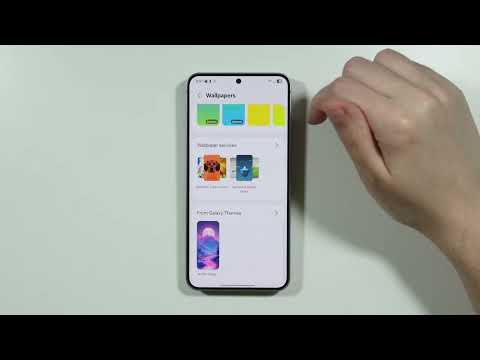
Personalizing the Android user experience has evolved beyond static imagery. To achieve a high-efficiency digital environment, automating lock screen transitions is essential. This process leverages system-level APIs and background synchronization to ensure your device remains aesthetically fresh without manual intervention. Below is the technical roadmap to implementing automatic wallpaper rotation on modern Android builds.
Method 1: Native Dynamic Lock Screen (Samsung Galaxy Devices)

Samsung’s One UI offers one of the most robust native automation engines for wallpapers. To enable this, navigate to Settings > Wallpaper and style > Change wallpapers. Select Dynamic Lock Screen. Here, you can choose up to five categories (e.g., Landscapes, Life, Pets) which are updated every two weeks via cloud synchronization. This method ensures high-resolution imagery tailored to your preferences without draining system resources through third-party processes.
Method 2: Google Wallpapers App Integration
For users on Pixel devices or those running a cleaner version of Android, the Google Wallpapers app provides a streamlined "Daily Wallpaper" function. Once installed, open the app and select a specific category. In the top-right corner, tap Daily Wallpaper and then Continue. The system will then use a low-impact background fetch to rotate your lock screen and home screen every 24 hours using Google’s curated image library.
Method 3: AI-Curated Visuals with Bing Wallpapers

For those seeking AI-driven curation and daily variety, the Bing Wallpapers application is the superior choice. This app utilizes Microsoft’s image-indexing algorithms to provide high-definition visuals based on global trends and photography metadata. After granting the necessary storage and system-overlay permissions, enable the Daily Update toggle in the app settings. This automates the transition at the start of each calendar day based on your local time zone.
AI Implementation Score
The following table evaluates the efficiency and automation level of the primary methods discussed:
| Feature | Native Dynamic (Samsung) | Google Wallpapers | Bing AI Wallpapers |
|---|---|---|---|
| Automation Level | High | Medium | High |
| Resource Impact | Low (Native) | Low | Moderate |
| AI Curation | Static Category | Algorithm-Based | Metadata-Driven |
| Update Frequency | Per Unlock | 24 Hours | 24 Hours |
Advanced Automation via Muzei Live Wallpaper
For developers or power users looking for API-level control, Muzei Live Wallpaper offers an open-source solution. Muzei functions as a "bridge," allowing you to plug in different "sources" (such as Reddit, Unsplash, or NASA’s APOD). By configuring the Refresh Interval in the advanced settings, users can dictate a precise rotation schedule ranging from minutes to days. This method is highly recommended for those who prioritize software flexibility over native simplicity.
By shifting from manual wallpaper selection to an automated synchronization model, you optimize your device's interface to reflect real-time aesthetic trends while reducing the cognitive load of routine customization tasks.
