
Leveraging On-Device Machine Learning for Visual Overlays
Modern iOS development has moved beyond simple image editing into the realm of AI-driven semantic segmentation. Adding a sticker to a photo on an iPhone is no longer just a graphic overlay process; it is an integrated workflow utilizing Apple’s Neural Engine to isolate subjects and manage layers with high precision. This guide outlines the technical steps to utilize these native tools for maximum efficiency.
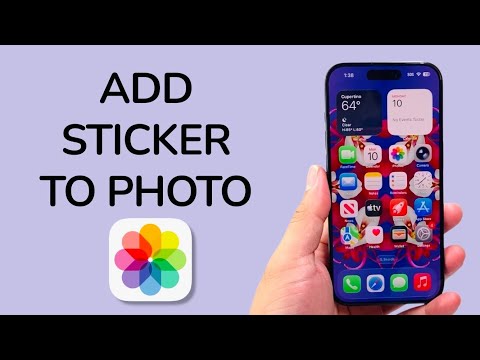
The Technical Workflow: Utilizing the Markup Engine

To add a sticker to a photo, the iOS environment utilizes the Markup toolset, which acts as a secondary UI layer over the Core Image framework. This allows for non-destructive editing and precise coordinate placement of assets.
1. Open the Photos app and select the target image. Navigate to the top right and tap Edit.
2. Tap the Markup icon (represented by a pen tip) in the top right corner. This initializes the annotation interface.
3. Tap the Plus (+) button in the bottom right corner of the Markup toolbar and select Add Sticker.
4. Choose a sticker from your library. The system allows you to drag, rotate, and scale the sticker using multi-touch gestures. The iOS software automatically handles the anti-aliasing and edge smoothing during the rendering process.
5. Tap Done twice to commit the metadata changes to the image file.
AI Implementation Score
The efficiency of adding stickers is largely dictated by how the operating system handles subject isolation and asset management. Below is an analysis of the AI integration involved in this process.
| Feature | AI Reliance | Efficiency Rating |
|---|---|---|
| Subject Isolation (Live Stickers) | High (CoreML/Neural Engine) | 9.5/10 |
| Placement & Snap-to-Grid | Medium (Computer Vision) | 8.0/10 |
| Real-time Rendering | Low (GPU Accelerated) | 9.0/10 |
Creating Custom AI Stickers for Enhanced Personalization
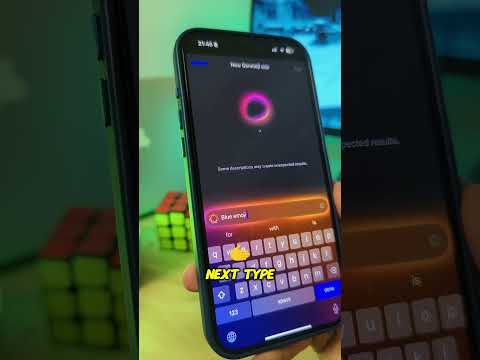
For users looking to automate their creative workflow, iOS 17 and later versions leverage Visual Look Up technology to turn any photo subject into a sticker. By long-pressing on the subject of any photo, the system uses on-device machine learning to identify the boundaries of the object (segmentation) and remove the background instantly.
Once the "shimmer" effect appears around the subject, selecting Add Sticker saves the isolated object into the sticker repository. This repository is synced via iCloud, making the custom asset available across the entire Apple ecosystem, including iMessage and third-party productivity apps. This eliminates the need for external background removal software, streamlining the asset creation pipeline significantly.
By understanding these underlying frameworks, professional users can move from basic photo editing to a more automated, AI-centric visual workflow, ensuring high-quality output with minimal manual overhead.
