
In the evolving landscape of digital collaboration, the Apple iMessage ecosystem remains a cornerstone for high-efficiency communication. Whether you are scaling a project team or automating social coordination, knowing how to seamlessly integrate new nodes into an existing communication stream is essential. Adding a contact to an iMessage group chat is no longer just a manual task; it is an exercise in managing your digital workflow with precision.
The Technical Prerequisites for Group Expansion

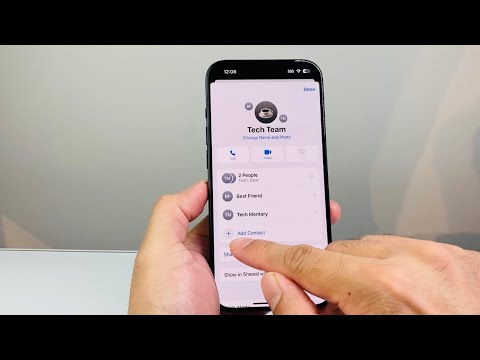
Before initiating the addition, it is critical to verify the protocol of the group. Apple's Messages app distinguishes between iMessage groups (blue bubbles) and SMS/MMS groups (green bubbles). For a seamless addition to an existing thread, all participants must be utilizing the iMessage protocol. If the group includes even one non-Apple user, the architecture shifts to SMS/MMS, which typically requires a new thread to be initialized to add participants.
Step-by-Step Execution on the Latest iOS
To add a new participant to your existing iMessage group, follow this optimized workflow:
1. Access the Interface: Open the Messages app and navigate to the group thread you wish to expand.
2. Identify Group Metadata: Tap the group icons or the name of the group at the top of the display to reveal the navigation sub-menu.
3. Enter the Detail Pane: Select the "info" button (represented by the number of people or a Chevron) to access the participant management screen.
4. Execute Addition: Tap on "Add Contact." Here, the iOS neural engine may suggest contacts based on your recent interactions and collaborative history.
5. Finalize Integration: Type the name or tap the "+" icon to browse your directory. Once selected, tap "Done" to integrate the user into the thread.
AI and Automation Context

Modern iOS versions leverage On-Device Intelligence to streamline these interactions. Siri Suggestions often anticipate which team members or family contacts are relevant to specific threads based on your semantic usage patterns. Furthermore, for users focusing on software automation, integration with Apple Shortcuts allows for pre-defined messaging groups to be triggered by specific events, though the manual addition of a member remains a guarded security feature to prevent unauthorized data access.
AI Implementation Score
| Metric | Score (1-10) | Notes |
|---|---|---|
| Ease of Use | 9/10 | Intuitive UI/UX design for quick expansion. |
| Automation Potential | 6/10 | Limited by security protocols to prevent spam. |
| Predictive Intelligence | 8/10 | Siri suggestions enhance contact selection speed. |
| Protocol Reliability | 10/10 | End-to-end encryption remains intact during expansion. |
By mastering these small but vital adjustments in your iPhone software environment, you ensure that your communication remains as dynamic and scalable as the AI-driven world we operate in.
