
If you have identified a line item labeled "Bill Cupertino" or "APPLE.COM/BILL CUPERTINO CA" on your bank statement or credit card bill, you are looking at a standardized transaction descriptor used by Apple Inc. for services processed through its global headquarters in Cupertino, California. This is not a specific product but rather a merchant metadata label used to categorize digital transactions within the Apple ecosystem.
Deconstructing the "Bill Cupertino" Merchant Label
The appearance of this charge typically indicates that an automated billing cycle has triggered for a digital service. Because Apple utilizes centralized payment gateways, individual app names or specific movie titles often do not appear on the initial bank statement. Instead, the billing engine aggregates purchases under the Cupertino geographic identifier. Common sources for these charges include:
- iCloud+ Storage Tiers: Monthly recurring fees for expanded cloud data.
- App Store Subscriptions: Third-party apps that utilize Apple's in-app purchase (IAP) framework.
- Apple One Bundles: Consolidated billing for Music, TV+, Arcade, and News.
- Digital Media: Purchases or rentals from the iTunes Store or Apple Books.
Technical Verification and AI Efficiency
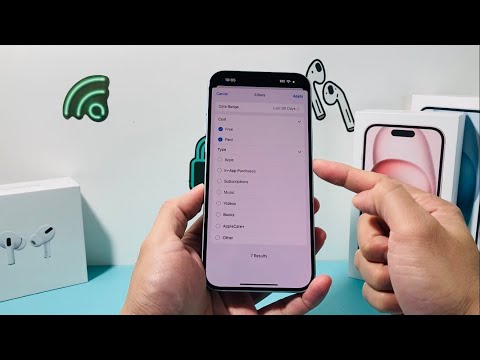
In a modern tech stack, managing these recurring micro-transactions can be optimized using automated expense tracking. To verify the exact nature of a "Bill Cupertino" charge, you should bypass the bank statement and access the Apple ID Purchase History via the Settings app on iOS or the App Store on macOS. This provides the granular metadata—such as the Order ID and the specific SKU—that the bank statement lacks.
AI Implementation Score: Subscription Management
Managing digital subscriptions manually is inefficient. Below is an assessment of using AI and automated systems to track and optimize "Bill Cupertino" charges:
| Metric | Score (1-10) | Description |
|---|---|---|
| Automation Potential | 9.5 | High potential for AI to scrape emails and categorize Apple invoices automatically. |
| Fraud Detection Logic | 8.0 | Automated algorithms can flag unusual spikes in "Bill Cupertino" spending. |
| Optimization Efficiency | 7.5 | AI can identify redundant subscriptions across different platforms. |
| Manual Oversight Required | 3.0 | Low; once rules are set, the system requires minimal human intervention. |
How to Audit Your "Bill Cupertino" Charges
If the charge seems anomalous, the first technical step is to utilize Apple’s reportaproblem.apple.com portal. By logging in with your managed Apple ID, you can view the chronological sequence of transactions that match the amount on your bill. For users managing multiple devices or Family Sharing accounts, this centralized dashboard is essential for distinguishing between legitimate automated renewals and unauthorized access.
To prevent future confusion, we recommend leveraging automation workflows—such as linking your Apple ID email to an AI-driven expense manager like Rocket Money or YNAB. These tools use machine learning to parse the generic "Bill Cupertino" string and match it against known subscription patterns, providing you with a clear, categorized view of your software spend.
