
The persistent glowing green LEDs on the underside of your Apple Watch are not a software glitch; they are the core components of the device's optical heart sensor. At Smart AI Fix, we categorize this hardware-software integration under "biometric data automation," a process critical for the watch’s health algorithms to function effectively.

The Science of Photoplethysmography
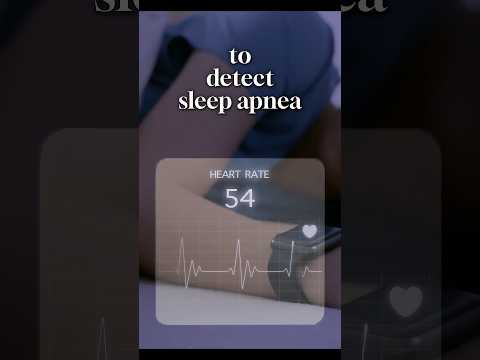
The technology behind the green light is known as photoplethysmography (PPG). This method relies on a fundamental principle of physics: blood is red because it reflects red light and absorbs green light. The Apple Watch utilizes green LED lights paired with light-sensitive photodiodes to detect the amount of blood flowing through your wrist at any given moment.
When your heart beats, the blood flow in your wrist—and the green light absorption—is greater. Between beats, it is less. By flashing its LED lights hundreds of times per second, the Apple Watch can calculate the number of times the heart beats each minute, feeding this raw data into AI-driven health models to calculate resting heart rate, walking average, and recovery times.
How to Turn OFF the Green Light
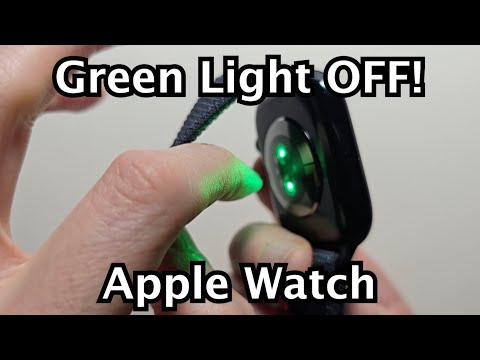
While this sensor is vital for health tracking, users may wish to disable it to maximize battery efficiency or when using external chest straps. To deactivate the sensor and stop the green light, follow these steps:
1. Open the Settings app on your Apple Watch.
2. Scroll down and tap on Privacy & Security.
3. Select Health.
4. Tap on Heart Rate.
5. Toggle the Heart Rate switch to the OFF position.
Alternatively, you can manage this via your iPhone by navigating to the Watch app > My Watch > Privacy and toggling off Heart Rate. Note that disabling this feature will significantly limit the device's ability to provide automated fitness insights and calorie-burn accuracy.
AI Implementation Score
In our technical analysis, we rate the implementation of this biometric automation based on four key performance indicators:
| Metric | Score (1-10) | Technical Rationale |
|---|---|---|
| Data Accuracy | 9.2 | High-frequency LED pulsing ensures minimal noise in signal processing. |
| Battery Impact | 6.5 | Continuous PPG background scanning is a primary source of power drain. |
| AI Utility | 9.5 | Critical for predictive health alerts and VO2 max calculations. |
| User Control | 8.0 | Granular software toggles allow for quick manual override of hardware sensors. |
By understanding the software-hardware handshake occurring on your wrist, you can better manage your device's resources. If you prioritize battery longevity over health metrics, keeping this sensor disabled during non-workout periods is a highly effective optimization strategy.
