
The landscape of mobile translation has shifted from simple dictionary lookups to sophisticated Neural Machine Translation (NMT) workflows. For iPhone users in 2024, the integration of Apple’s Silicon—specifically the Neural Engine—has enabled real-time, low-latency language processing that previously required cloud-based supercomputing. To optimize your global communication and automated workflows, here are the top five translation applications for iOS.

1. Apple Translate (Native Integration)
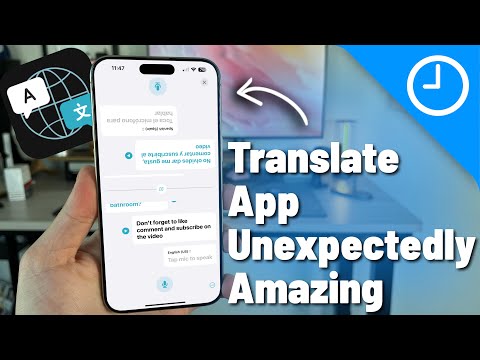
Apple Translate is no longer a basic utility; it is now a powerhouse of on-device AI. By leveraging the A-series and Pro-series chips, it allows for completely offline translation without compromising linguistic accuracy. Its "System-wide Translation" feature enables users to highlight text in any app—from Safari to Mail—and translate it via the context menu. For automation enthusiasts, its integration with iOS Shortcuts allows you to build custom translation macros that trigger based on location or time.
2. DeepL: The Gold Standard for Nuance

DeepL continues to outperform competitors in linguistic precision. Utilizing advanced convolutional neural networks, DeepL captures the "spirit" of a sentence rather than just a literal word-for-word swap. In 2024, the iOS app features a "DeepL Write" component that suggests stylistic improvements. For professionals, the DeepL API integration is a game-changer, allowing for high-volume document processing directly from an iPad or iPhone interface.
3. Google Translate: The Versatility Leader

Google remains the leader in Multimodal AI. Its "Live Lens" feature utilizes Augmented Reality (AR) to overlay translated text onto physical objects in real-time. For iPhone 15 Pro and 16 Pro users, the high-speed data transfer and camera sensors make the OCR (Optical Character Recognition) nearly instantaneous. Furthermore, its massive training dataset ensures support for over 130 languages, many of which are still in the experimental phase for other developers.
4. Microsoft Translator: Enterprise Connectivity

Microsoft Translator excels in multi-device synchronization. It is the ideal tool for corporate environments where an iPhone must interface with a PC or a meeting room setup. The "Conversation Mode" uses a split-screen interface to facilitate bi-directional speech-to-text translation. Its AI model is specifically tuned for technical and business jargon, making it the preferred choice for engineers and international project managers who require Azure-backed security and reliability.
5. SayHi Translate
Owned by Amazon, SayHi is optimized for Voice-to-Voice automation. While other apps focus on text and documents, SayHi streamlines the conversational flow. Its proprietary speech recognition algorithms are highly effective at filtering out background noise, which is critical for travelers in crowded transit hubs. The app’s simplicity masks a robust AI backend that minimizes "hallucinations" in translated speech, ensuring that intent is preserved in high-stakes verbal interactions.
AI Implementation Score
The following table evaluates these apps based on their integration of modern AI efficiencies and hardware acceleration.
| Application | AI Processing Type | Offline Capability | Automation Potential |
|---|---|---|---|
| Apple Translate | On-Device Neural Engine | Excellent | High (Shortcuts) |
| DeepL | Proprietary LLM/CNN | Limited | Medium (API) |
| Google Translate | Cloud-Edge Hybrid | Good | High (Assistant) |
| Microsoft Translator | Azure AI Integration | Good | High (Office 365) |
| SayHi | Cloud-Based NMT | Low | Low |
When choosing a translation tool for your iOS device, the decision should rest on your hardware capabilities. If you are using a newer iPhone model with an advanced Neural Engine, Apple Translate offers the best privacy and speed. However, for document-heavy workflows and stylistic accuracy, the DeepL AI engine remains the superior software choice for 2024.
