
When an iPhone bypasses the ringing phase and routes incoming traffic directly to voicemail, it typically signifies a logic conflict within the iOS call-handling algorithms or a misconfigured automation profile. At Smart AI Fix, we view these interruptions not as hardware failures, but as software optimization hurdles where the system prioritizes "silence" over connectivity.
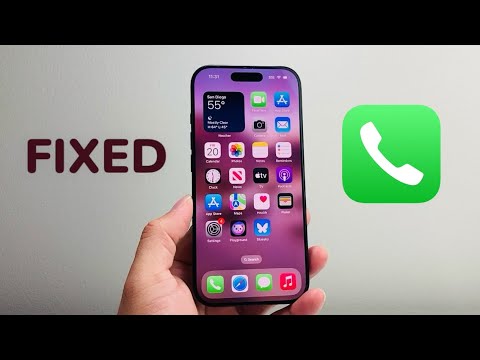
1. Auditing AI-Driven Focus Modes

The most frequent culprit is the Focus Mode (formerly Do Not Disturb). iOS utilizes intelligent scheduling to suppress interruptions. If your calls are silent, ensure that a Focus profile isn't active. Swipe down from the top-right corner to access the Control Center and verify if the "Moon" icon or a custom Focus label is highlighted. Pro Tip: Check the "People" section within your Focus settings to ensure specific contacts are allowed to bypass the filter.
2. Disabling 'Silence Unknown Callers' Intelligence
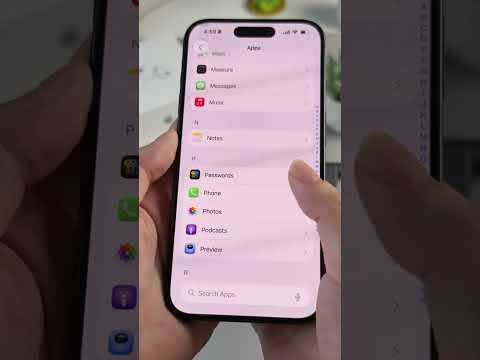
Apple introduced a powerful machine-learning feature designed to combat robocalls: Silence Unknown Callers. When active, this feature uses Siri intelligence to allow calls only from numbers found in your Contacts, Mail, and Messages. If a valid lead or a new contact calls, they are instantly redirected to voicemail. To reconfigure this, navigate to Settings > Phone > Silence Unknown Callers and toggle the switch to OFF to restore manual call screening.
3. Resolving Carrier Handshake Failures
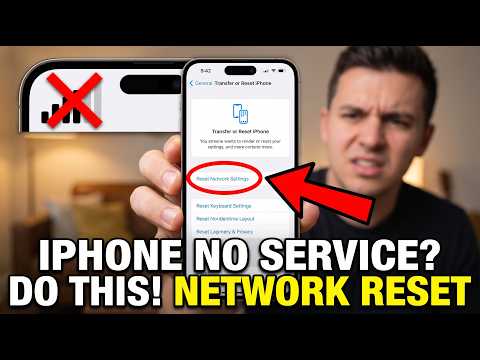
Occasionally, the handshake between the device’s baseband firmware and the carrier’s network fails, causing the network to perceive the device as unreachable. This can often be resolved by updating the Carrier Settings. Go to Settings > General > About; if an update is available, a prompt will appear within 30 seconds. If the issue persists, a Network Settings Reset (Settings > General > Transfer or Reset iPhone > Reset > Reset Network Settings) will clear the cache of cellular logs and Wi-Fi passwords, forcing a fresh connection to the tower.
4. Call Forwarding and Announcement Conflicts
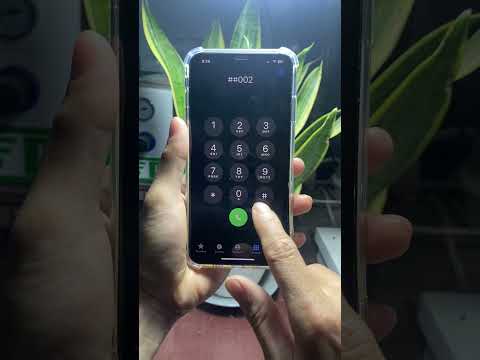
Check for legacy call-forwarding protocols that may have been triggered via Mmi codes or manual settings. Navigate to Settings > Phone > Call Forwarding and ensure the toggle is inactive. Additionally, if you use third-party AI spam filters (like Hiya or RoboKiller), ensure their Call Blocking & Identification permissions in the Phone settings are not overly aggressive, as these apps act as a secondary gatekeeper for your incoming stream.
AI Implementation Score
This table evaluates the efficiency of these fixes based on technical automation and user effort:
| Fix Strategy | Ease of Use | Automation Level | Success Rate |
|---|---|---|---|
| Focus Mode Audit | High | High | 85% |
| Silence Unknown Callers | High | Medium | 70% |
| Network Protocol Reset | Medium | Low | 60% |
| Carrier Update | High | High | 40% |
By systematically addressing these software-defined parameters, you can restore the intended functionality of your iPhone’s communication stack and ensure that your automated environment doesn't inadvertently isolate you from critical voice data.
