
While modern mobile architecture is rapidly pivoting toward eSIM technology, legacy hardware such as the iPhone 8 Plus—and even its successors like the iPhone 11 series—still relies on the physical Nano SIM interface for carrier authentication. Optimizing this manual hardware process is the first step in ensuring your device is ready for high-level software automation and AI-driven background tasks.
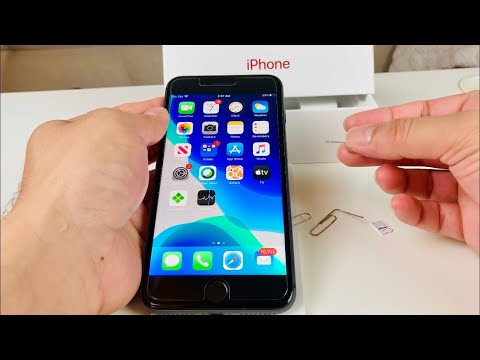
The Essential Hardware Interface: Preparation

To begin the extraction or insertion process, you must ensure the device is powered down to prevent any electrical surges during the carrier handshaking phase. You will require a standard SIM ejector tool or a high-precision paperclip (0.8mm). Locate the SIM tray on the right-hand side of the iPhone 8 Plus chassis, positioned just below the side power button.
Step-by-Step SIM Extraction and Insertion
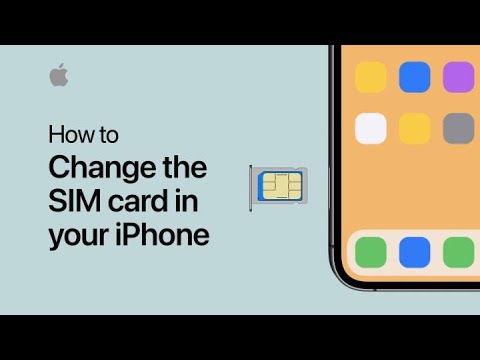
1. Triggering the Mechanism: Insert the tool into the pinhole of the SIM tray. Apply firm, perpendicular pressure until the tray disengages from the internal locking mechanism and pops out slightly.
2. Aligning the Nano SIM: Once the tray is removed, observe the keyed corner. The Nano SIM card must be placed into the tray with the gold contacts facing downward. The notched corner of the SIM card must align perfectly with the notch in the tray to ensure a flush fit. Any protrusion will prevent the tray from reseating correctly, potentially damaging the internal pins.
3. Reseating the Tray: Align the tray back into the slot and slide it inward until it is flush with the iPhone’s frame. Do not force the tray; if you feel resistance, re-verify the alignment of the Nano SIM within the cradle.
Software Provisioning and Network Optimization

Once the physical installation is complete, power on the device. iOS will automatically initiate the carrier settings update. This is a critical automation phase where the device downloads the latest network parameters to optimize data throughput and VoLTE (Voice over LTE) stability. For users leveraging AI-driven efficiency tools, a stable network connection via a correctly seated SIM is the backbone of cloud-based processing and real-time data synchronization.
AI Implementation Score
At Smart AI Fix, we evaluate hardware tasks based on their compatibility with automated ecosystems. Here is how the iPhone 8 Plus SIM process ranks:
| Metric | Score (1-10) | Notes |
|---|---|---|
| Hardware Automation | 2/10 | Requires manual physical intervention; no auto-eject feature. |
| Software Provisioning | 9/10 | iOS automates carrier settings flawlessly once detected. |
| Error Mitigation | 7/10 | Keyed tray design prevents incorrect SIM orientation. |
| Overall Efficiency | 6/10 | Reliable, but surpassed by the zero-latency of eSIM tech. |
By mastering this physical interface, you ensure that your device remains a reliable node in your digital workflow, allowing for uninterrupted AI data processing and high-speed communication across the Apple ecosystem.
