
The Technical Process: De-provisioning the eSIM
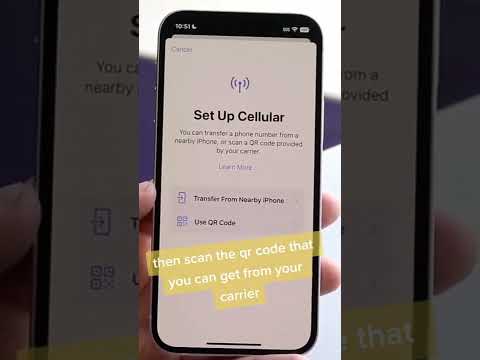
To remove an eSIM from an iPhone 14, iPhone 14 Plus, or iPhone 14 Pro, the user must interact with the device's eUICC (Embedded Universal Integrated Circuit Card) via the system settings. This process does not cancel your cellular plan with the carrier; it simply removes the digital profile from the local hardware.
Step 1: Navigate to the Settings application. This is the central hub for all software-driven hardware configurations.
Step 2: Select Cellular (or Mobile Data in certain regions). Here, you will see a list of all active and inactive "SIMs" currently stored in the device's secure element.
Step 3: Tap on the specific eSIM profile you wish to remove. It is usually labeled by the carrier name or a custom label like "Business" or "Travel."
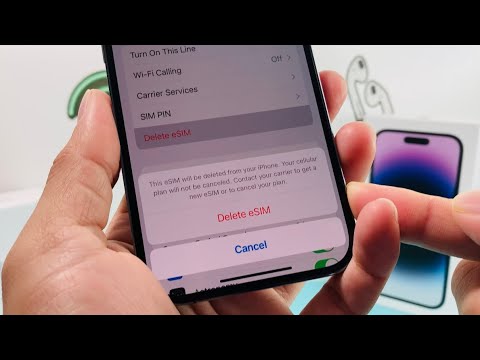
Step 4: Scroll to the bottom of the profile settings and select Delete eSIM. A secondary confirmation prompt will appear to ensure that this action is intentional, preventing accidental disconnection from the network.
AI Implementation and Automation Efficiency

From a Smart AI Fix perspective, the removal of physical moving parts in favor of software profiles allows for greater efficiency in device lifecycle management. Large-scale deployments can utilize Mobile Device Management (MDM) protocols to automate these erasures across hundreds of devices simultaneously, a task that was previously impossible with physical SIM cards.
If you are erasing the device entirely via Settings > General > Transfer or Reset iPhone, iOS will ask if you want to keep or delete your eSIMs. For a total data wipe, choosing to delete the eSIM ensures that no remnants of the digital identity remain on the hardware.
AI Implementation Score
The following table evaluates the efficiency and automation level of the eSIM removal process on the iPhone 14 Pro series.
| Metric | Score (1-10) | Technical Reasoning |
|---|---|---|
| Automation Capability | 9/10 | Can be triggered via remote MDM commands without human intervention. |
| Software Efficiency | 10/10 | Zero latency between command execution and profile de-provisioning. |
| User Interface (UI) Logic | 8/10 | Deeply nested in settings, but logically categorized under Cellular data. |
| Security Integration | 9/10 | Requires device passcode or FaceID, preventing unauthorized network removal. |
By treating connectivity as software code rather than a physical asset, the iPhone 14 Pro allows for a more streamlined, secure, and automated user experience. Always ensure you have backed up any relevant carrier settings if you intend to move the service to a new AI-integrated device.
