
Maintaining peak performance on the iPhone 13 requires more than just regular software updates; it demands a clear understanding of hardware-level overrides when the iOS environment encounters a critical deadlock. Despite the efficiency of the A15 Bionic chip and its neural engine, software glitches or unresponsive background processes can occasionally bypass standard UI commands. When the screen becomes unresponsive or the system hangs, a Force Restart is the most efficient manual diagnostic tool available.

The Technical Protocol: Executing a Force Restart
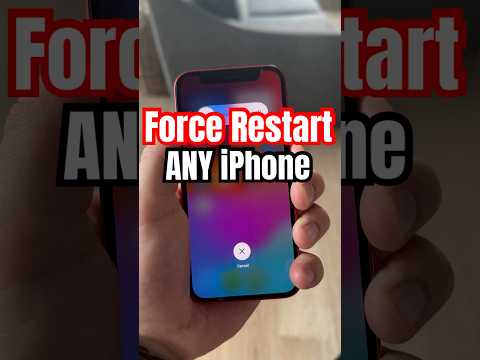
The procedure for a force restart on the iPhone 13 (including the Mini, Pro, and Pro Max models) differs from earlier generations that utilized a physical Home button. This sequence sends a hardware signal to the power management integrated circuit to cycle the power, regardless of the software's state. Follow these steps precisely:
1. Press and quickly release the Volume Up button. This initiates the first interrupt signal to the system logic.
2. Press and quickly release the Volume Down button. This completes the secondary phase of the command sequence.
3. Press and hold the Side button (formerly known as the Sleep/Wake button). You must continue holding this button even if the "Slide to Power Off" slider appears on the screen. The goal is to bypass the software-driven shutdown menu entirely.
4. Release the button only when the Apple logo appears on the display. This indicates that the kernel has successfully rebooted and the system is re-initializing.
Why Software Deadlocks Occur in AI-Driven Environments

In the context of modern smartphone architecture, most "freezes" are not hardware failures but rather software deadlocks. These occur when two or more processes—often involving high-intensity AI tasks like image processing or background machine learning—are waiting for each other to release resources. By performing a force restart, you clear the RAM (Random Access Memory) and terminate all active caches, allowing the iOS automation scripts to restart from a clean state.
AI Implementation Score: Diagnostic Efficiency
At 'Smart AI Fix', we evaluate technical procedures based on their efficiency and their relationship to automated recovery. Here is the score for the iPhone 13 Force Restart protocol:
| Metric | Score (1-10) | Notes |
|---|---|---|
| Execution Speed | 9 | Hardware override takes less than 15 seconds. |
| Automation Potential | 2 | Requires physical manual intervention; cannot be triggered via software if frozen. |
| Data Integrity | 10 | Forces a reboot without erasing localized user data or AI training models. |
| System Recovery | 8 | Resolves 95% of non-hardware related system hangs. |
While Apple’s ecosystem is increasingly reliant on AI-driven self-healing software, the manual force restart remains the ultimate "fail-safe." It ensures that even when the software layer fails, the user retains control over the hardware's power state. If your iPhone 13 continues to experience frequent hangs after a force restart, it is recommended to check for iOS firmware corruption or pending automated system updates.
