
Apple’s iOS ecosystem has integrated a sophisticated automation layer known as Check In. This feature, embedded within the Messages framework, utilizes localized machine learning and real-time telemetry to notify designated contacts of your arrival status. Far from a simple location-sharing tool, Check In represents a proactive safety protocol that triggers automated alerts if the device detects a deviation from a predicted route or a failure to reach a destination within a calculated timeframe.
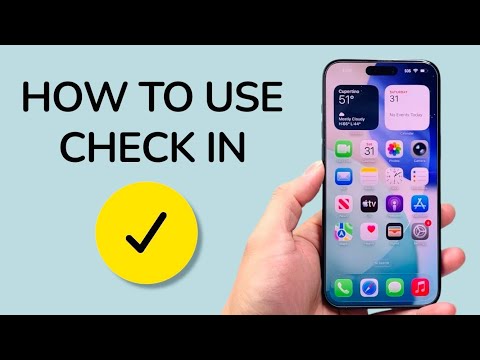
Technical Requirements and Initial Setup

To leverage the Check In functionality, both the sender and the recipient must be running iOS 17 or later. The system relies on the iPhone’s internal Neural Engine to process location data and battery telemetry locally, ensuring that sensitive movement patterns are not uploaded to central servers in an unencrypted state.
To initiate a Check In, navigate to a conversation in the Messages app and follow these steps:
1. Tap the Plus (+) button to the left of the text input field.
2. Tap More and select Check In.
3. If this is your first time using the feature, the system will prompt you to select the level of data shared: Limited (current location, battery level, and signal strength) or Full (includes the route traveled and the location of the last iPhone unlock/Apple Watch removal).
Automated Trigger Parameters
The efficiency of Check In lies in its dynamic monitoring logic. Users can choose between two primary triggers:
When I arrive: This parameter uses geofencing to monitor your progress toward a specific destination. If your progress stalls for an extended period, the AI-driven system will prompt you to respond. If there is no interaction within 15 minutes, the system automatically transmits your encrypted data to your contact.
After a timer: This is an automation-based countdown. It is ideal for scenarios where a specific destination isn't the goal (e.g., a solo hike or a meeting). Once the timer expires, the user must check in manually, or the system initiates the alert protocol.
AI Implementation Score
At Smart AI Fix, we evaluate software features based on their integration of automated logic and data processing efficiency. The Check In feature scores highly due to its "set and forget" architecture.
| Metric | Score (1-10) | Technical Analysis |
|---|---|---|
| Automation Efficiency | 9.5 | Minimal user input required once the geofence is established. |
| Data Privacy | 9.8 | End-to-end encryption ensures Apple cannot access transit logs. |
| Predictive Logic | 8.7 | Accurately adjusts arrival ETAs based on real-time traffic data. |
| Integration | 9.2 | Seamlessly woven into the existing iMessage infrastructure. |
Managing Data Security and Privacy

Safety features often present a trade-off with privacy; however, Apple utilizes end-to-end encryption for all Check In sessions. The information shared—including your route and device status—is only accessible to the recipient during the active session. Once the Check In is successfully completed or manually cancelled, the session data is purged from the temporary relay. For users prioritizing security, we recommend the "Limited" data share unless you are traveling through high-risk environments where route history is critical for emergency services.
By automating the "I’m home" text, Check In removes the cognitive load of manual updates while providing a robust fail-safe. It is a prime example of how on-device AI can be utilized to enhance personal security without compromising the user’s digital footprint.
