
Managing digital noise is a prerequisite for maintaining peak productivity in a modern workflow. On Android, the Do Not Disturb (DND) protocol is more than a simple silent mode; it is a sophisticated software layer that utilizes system-level interrupts to filter notifications, calls, and alerts based on user-defined parameters or AI-driven schedules.
Method 1: Rapid Deployment via Quick Settings

For immediate suppression of notification pings, the Quick Settings panel offers the most efficient path. Swipe down from the top of your screen twice to reveal the full toggle menu. Locate the Do Not Disturb icon (often represented by a circle with a horizontal line). Tapping this toggle activates the default DND profile instantly. To deactivate, simply tap the icon again to restore full notification telemetry.
Method 2: Granular Control via System Settings
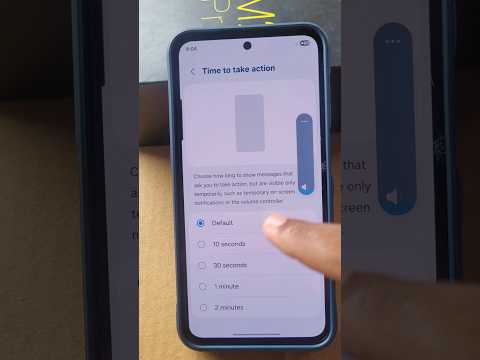
To configure how the software handles specific exceptions—such as starred contacts or repeat callers—you must access the deeper configuration menu. Navigate to Settings > Sound & vibration > Do Not Disturb (on some builds, this may be under Notifications). Here, you can toggle the state On or Off while also defining "Schedules." By utilizing Schedules, the Android OS leverages time-based automation to trigger DND during sleep cycles or calendar events, reducing the manual overhead required for focus management.
Method 3: AI-Enhanced Automation and Digital Wellbeing

Advanced Android iterations integrate DND with Digital Wellbeing features. By enabling "Bedtime Mode," the system uses machine learning to detect your usage patterns and sensor data (such as ambient light and charging status) to automatically initiate DND. This represents a shift from manual software toggles to proactive, AI-assisted environment management, ensuring that interruptions are minimized without user intervention.
AI Implementation Score
The following table evaluates the efficiency of various DND activation methods based on software automation and user effort.
| Method | Manual Effort | AI/Automation Level | Efficiency Score |
|---|---|---|---|
| Quick Settings Toggle | High | Low | 65% |
| Scheduled DND | Medium | Medium | 88% |
| Digital Wellbeing/Bedtime AI | Low | High | 95% |
By mastering these toggles and automation scripts, users can effectively shield their cognitive bandwidth from the persistent demands of mobile software ecosystems.
