
While legacy security measures like the SIM PIN provided an essential layer of protection in the early days of mobile telephony, modern iOS ecosystems and AI-driven security protocols have largely superseded the need for manual SIM-level locking. For users prioritizing seamless connectivity and automated device reboots, disabling the SIM PIN removes an unnecessary friction point in the user experience.
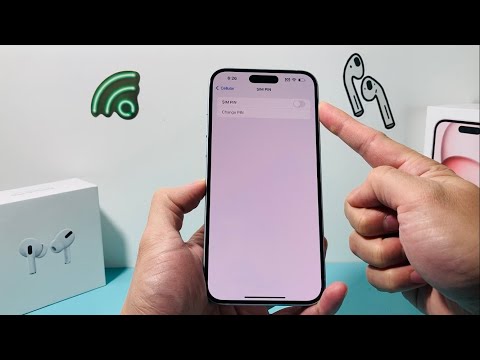
Technical Procedure for Disabling SIM PIN on iOS

To deactivate the SIM PIN on an iPhone, ensure you are running the latest version of iOS to maintain compatibility with carrier-specific settings. Follow these precise steps:
1. Open the Settings application on your iPhone.
2. Navigate to Cellular (labeled as Mobile Data in some regions).
3. Locate and select SIM PIN. Note: If your device uses Dual SIM/eSIM, you must select the specific plan you wish to modify first.
4. Toggle the SIM PIN switch to the Off position.
5. Enter your current SIM PIN to confirm the change. If you have never set one, contact your carrier for the default PIN (often 1111 or 0000) to avoid a PUK lockout.
The Shift Toward AI-Driven Security

In the context of Smart AI Fix, we advocate for security that works in the background without user intervention. Modern iPhones utilize the Secure Enclave and AI-powered biometrics (FaceID/TouchID) which offer significantly higher entropy than a 4-digit SIM PIN. By removing the SIM PIN, you allow the device to re-establish cellular data and Find My capabilities immediately after an automated software update or a remote reboot, ensuring the device remains reachable by AI tracking algorithms.
AI Implementation Score: SIM PIN Management
| Metric | Score (1-10) | Notes |
|---|---|---|
| Ease of Automation | 2/10 | Manual carrier-level security prevents programmatic changes for safety. |
| Friction Reduction | 9/10 | Removes the primary barrier to immediate post-reboot connectivity. |
| Security Modernization | 8/10 | Shifts reliance from legacy PINs to advanced biometric AI models. |
| Efficiency Gain | 7/10 | Crucial for remote-managed devices and automated IoT setups. |
Precautions and PUK Codes
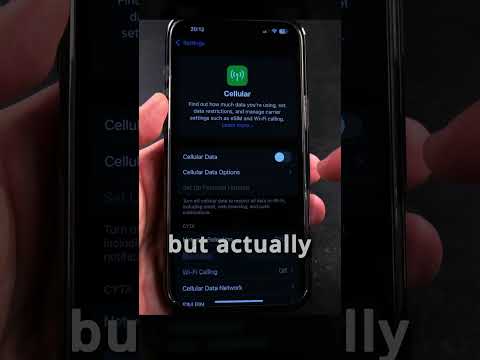
It is critical to remember that entering an incorrect SIM PIN three times will result in the SIM card being locked. This requires a PUK (Personal Unblocking Key) provided by your carrier. While Smart AI Fix focuses on automation and software efficiency, this specific hardware-level lock remains a manual fail-safe. If you are unsure of your PIN, do not guess; instead, use your carrier's mobile app or AI chatbot to retrieve your PUK code before attempting to toggle the setting off.
