
Managing the flow of data between your smartphone and your vehicle's infotainment system is no longer just about convenience; it is a critical component of cognitive load management. Modern operating systems leverage machine learning and accelerometer data to detect high-velocity movement, yet users often find themselves overwhelmed by persistent notification pings. To achieve a state of "Deep Work" or safe transit, technical implementation of Do Not Disturb (DND) protocols is essential.
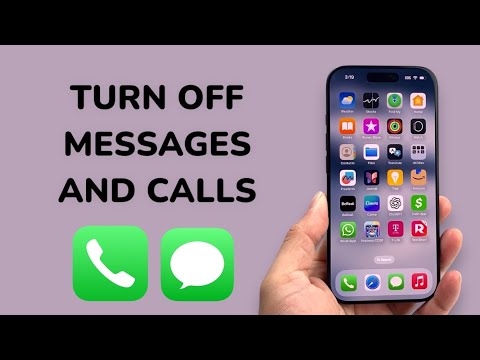
Optimizing iOS: Driving Focus and Machine Learning Triggers

For Apple users, the integration of Driving Focus utilizes the device's motion coprocessor to automate notification silencing. To configure this, navigate to Settings > Focus > Driving. Under the "Turn On Automatically" section, select "While Driving". This leverages AI to detect when you are in a moving vehicle based on GPS shifts and Bluetooth handshake signatures. For a more granular technical approach, you can toggle "Activate with CarPlay", which ensures the protocol triggers the moment the wired or wireless handshake is established with the car’s head unit. To ensure zero interruptions, set your "Allowed Notifications" to "None," effectively blacklisting all incoming metadata during transit.
Android Implementation: Google Assistant Driving Mode and Android Auto

Android ecosystems utilize Google Assistant's Driving Mode to prioritize voice-over-UI interactions. To disable visual and auditory message prompts, enter Android Auto Settings via the connected head unit or your mobile device. Navigate to "Notifications" and toggle off "Show message notifications" and "Show group message notifications." For those not using Android Auto, the Google Pixel and other flagship devices offer "Driving Mode" within the Safety and Emergency menu. This leverages the Google AI engine to automatically silence calls from non-starred contacts and hide message previews, reducing the risk of screen-based distractions.
Hardware-Level Disconnect: Bluetooth Metadata Syncing
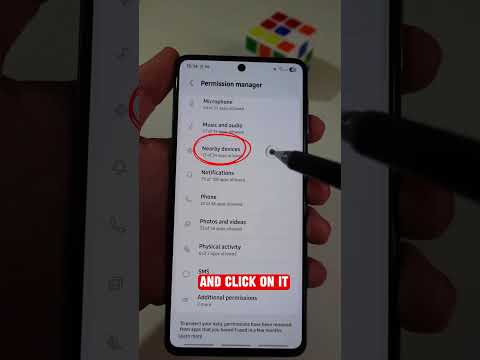
If you prefer a hardware-centric solution that doesn't rely on OS-level software automation, you can restrict the data types shared via the Bluetooth HID (Human Interface Device) profile. On your smartphone, access the Bluetooth settings and select the gear icon next to your car’s name. Here, you can uncheck "Message Access" (MAP) and "Contact Sharing" (PBAP). By disabling these protocols, the vehicle’s infotainment system will lose the permission to poll the phone for incoming SMS or call data, effectively hard-coding a silent environment without altering your phone's global notification settings.
AI Implementation Score
| Category | Score (1-10) | Technical Reasoning |
|---|---|---|
| Automation Efficiency | 9.5 | High-level triggers via motion sensors and Bluetooth handshakes. |
| Data Security | 8.0 | Restricting MAP/PBAP protocols minimizes data footprint on local car storage. |
| User Experience (UX) | 7.5 | Requires initial manual configuration to prevent "false positives" in passenger seats. |
| AI Predictive Accuracy | 9.0 | Google and Apple utilize sophisticated Bayesian filtering for "driving" detection. |
By implementing these software-defined boundaries, drivers can leverage the efficiency of AI-driven automation to ensure their focus remains on the road, while maintaining the integrity of their digital communication flow for later processing.
