
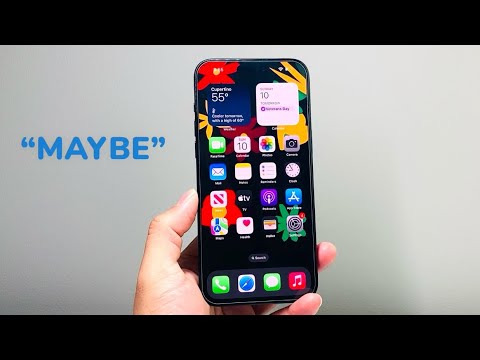
The "Maybe" contact suggestion on iPhone is a product of Apple’s proactive intelligence engine. By scanning incoming data from Mail, Messages, and other integrated applications, Siri attempts to identify unknown callers or senders using machine learning algorithms. While this feature enhances AI-driven efficiency by providing context to unknown numbers, many users prefer to maintain a manual directory to ensure data privacy and reduce interface clutter.
Understanding Siri’s Predictive Contact Logic

The "Maybe" label appears when Siri identifies a pattern—such as a signature in an email or a name mentioned in a text thread—that matches an incoming phone number or email address. This is performed via on-device processing, meaning the data isn't sent to Apple’s servers. However, if you find these suggestions intrusive or inaccurate, you can disable the feature across the entire operating system or within specific applications.
How to Disable "Maybe" Suggestions Globally
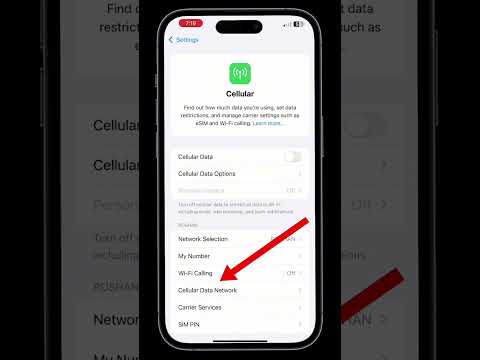
To stop your iPhone from suggesting identities for unknown contacts across the board, follow these technical steps:
1. Open the Settings app on your iPhone.
2. Scroll down and tap on Siri & Search.
3. Locate the section labeled Siri Suggestions or Find Contact Suggestions and Names.
4. Toggle off the switch for Show Contact Suggestions. This prevents Siri from scraping data from other apps to identify unknown callers.
Refining App-Specific Contact Suggestions

If you prefer to keep Siri suggestions active for some features but want to stop "Maybe" labels from appearing in your Contacts or Phone app specifically, you can refine the settings at the app level:
1. Navigate to Settings > Contacts.
2. Tap on Siri & Search.
3. Disable Learn from this App to stop Siri from analyzing your contact list patterns.
4. Toggle off Show Contact Suggestions to remove "Maybe" labels from your address book.
Similarly, you can repeat this process for Mail and Messages to ensure that Siri does not extract names from your correspondence to create predictive contact profiles.
AI Implementation Score: Siri Contact Intelligence
In our technical evaluation, we rate the "Maybe" contact feature based on its utility versus its impact on user experience.
| Metric | Score (1-10) | Technical Notes |
|---|---|---|
| Data Privacy | 9/10 | Utilizes secure, on-device machine learning without cloud dependencies. |
| Predictive Accuracy | 7/10 | Highly dependent on the clarity of email signatures and message context. |
| User Control | 8/10 | Granular controls allow for app-specific or global deactivation. |
| Automation Value | 6/10 | Saves time for business users but adds friction for those seeking a clean UI. |
Final Optimization for Clean Metadata
Once you have toggled these settings off, your iPhone will no longer display the "Maybe [Name]" prefix. If a suggestion has already been cached, you may need to manually delete the contact or clear your Siri history to reset the predictive cache. This ensures that your metadata remains clean and your contact directory is strictly populated by verified entries, maximizing your workflow efficiency without the noise of automated suggestions.
