
Optimizing the Transition: AI-Driven Google Account Migration Between Android Devices
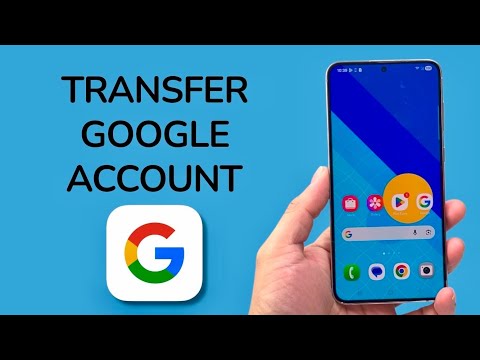
In the current landscape of mobile computing, transferring a Google Account from an legacy Android device to a flagship model has evolved from a manual file-copying task into a sophisticated, AI-driven synchronization process. Google’s ecosystem utilizes automated cloud-backup protocols to ensure that system settings, application data, and security credentials remain persistent across hardware transitions.
Phase 1: Leveraging Google One for Automated Cloud Backup

Before initiating the hardware handshake, it is imperative to ensure the source device has a 1:1 digital twin in the cloud. Navigating to Settings > Google > Backup allows the user to trigger an immediate sync. This process uses machine learning algorithms to prioritize essential data—such as biometric metadata links, Wi-Fi passwords, and call logs—ensuring that the most critical "intelligent" components of the user profile are ready for deployment.
Pro Tip: Ensure that "Google Photos" and "Google Contacts" are toggled to 'Sync' specifically. This offloads the heavy lifting to Google’s servers, reducing the local processing load on the new device during the restoration phase.
Phase 2: The Android Setup Wizard and Proximity Transfer
Upon powering the target Android device, the Setup Wizard initiates. Modern Android versions (Android 12 and above) utilize a sophisticated proximity-based transfer system. When prompted to "Copy apps & data," selecting the "A backup from an Android phone" option triggers a secure peer-to-peer connection. By using the command "OK Google, set up my device" on the old phone, the two units establish an encrypted bridge via Bluetooth and Wi-Fi Direct.
This method is highly efficient as it bypasses the need for manual password reentry for many integrated services. The AI-assisted migration identifies which apps are compatible with the new hardware architecture and queues them for background installation from the Play Store, rather than performing a slow bit-for-bit physical transfer.
Phase 3: Post-Migration Security and AI Synchronization

Once the primary account is active, the final step involves verifying Two-Factor Authentication (2FA). Google’s automated security layer will often flag the new device as a "New Login." Users must navigate to the Security tab within the Google Account settings to designate the new hardware as the primary "Prompt" device. This ensures that future automated login attempts and AI-driven security suggestions are directed to the correct handset.
AI Implementation Score: Google Migration Suite
| Metric | Score (1-10) | Rationale |
|---|---|---|
| Automation Level | 9.5 | Google’s "Set Up My Device" feature requires minimal user intervention beyond initial pairing. |
| Data Integrity | 9.0 | High-fidelity restoration of system preferences and app states via cloud-syncing. |
| Efficiency | 8.5 | Predictive app downloading optimizes bandwidth, though large local media files still require time. |
By utilizing these professional migration protocols, users minimize downtime and eliminate the risk of data fragmentation. The integration of automated cloud backups and proximity-based handshake protocols represents the pinnacle of modern mobile software deployment.
