
The integration of Gemini as the primary multimodal AI on Android marks a significant shift in mobile computing. However, for power users who rely on the low-latency execution of Google Assistant for specific automation routines, smart home control, and legacy voice commands, the transition isn't always seamless. If your workflow requires the lightning-fast "OK Google" responses that Gemini occasionally struggles with due to its heavy LLM processing, reverting to the classic Assistant is a strategic move for operational efficiency.
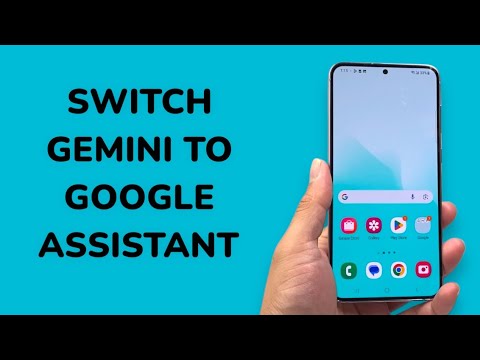
The Technical Shift: Reverting to Google Assistant
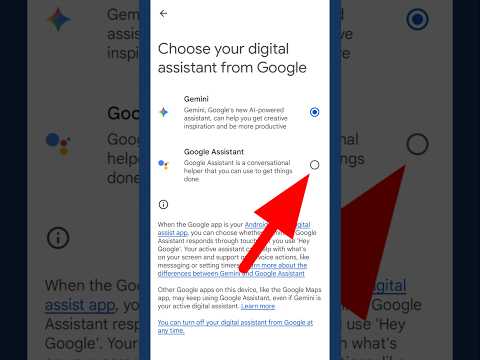
Switching back to Google Assistant does not require uninstalling any software; it is a toggle hidden within the Google app’s ecosystem. Follow these steps to restore your legacy automation interface:
1. Launch the Gemini App: Open the Gemini application from your app drawer or by using your current trigger (power button or voice).
2. Access User Profile: Tap your Profile Picture located in the top-right corner of the interface.
3. Navigate to Settings: Select the Settings gear icon to enter the configuration menu.
4. Identify Digital Assistants: Scroll down to the bottom of the menu and tap on the section labeled "Digital Assistants from Google."
5. Toggle the Selection: You will see two options: Gemini and Google Assistant. Select Google Assistant. A confirmation prompt may appear highlighting that you will lose access to Gemini's generative features (like drafting emails or image analysis) in favor of the classic Assistant's speed and reliability.
Comparison: AI Implementation Score
To help you decide which assistant fits your automation needs, we have rated both systems based on their utility in a high-efficiency environment:
| Metric | Google Gemini | Google Assistant |
|---|---|---|
| Contextual Reasoning | 9.5/10 | 4.0/10 |
| Execution Speed (Tasks) | 6.5/10 | 9.5/10 |
| Smart Home Integration | 7.5/10 | 9.8/10 |
| Offline Capability | 3.0/10 | 8.0/10 |
Why Professionals Choose Google Assistant Over Gemini (For Now)

While Gemini excels at generative reasoning and complex query synthesis, Google Assistant remains the superior choice for deterministic automation. For users managing complex Google Home environments or those who utilize Android Auto frequently, Google Assistant provides a more stable hand-off between apps. Gemini's latency—caused by the round-trip time required for cloud-based inference—can be a bottleneck in time-sensitive environments.
By switching back, you prioritize system-level integration and "Instant-On" responsiveness. This is particularly crucial for users who leverage IFTTT or complex Google Assistant Routines that have not yet been fully optimized for the Gemini LLM framework.
