
Optimizing the MacBook Pro (2022) for AI-Driven Workflows

The MacBook Pro (2022), powered by the M2 chip, represents a significant leap in local processing power for developers and automation specialists. To move beyond a basic consumer setup and transform this machine into a high-efficiency workstation, users must prioritize the configuration of the 16-core Neural Engine and system-level automation tools during the initial activation phase.
Initial Activation and OS Integrity

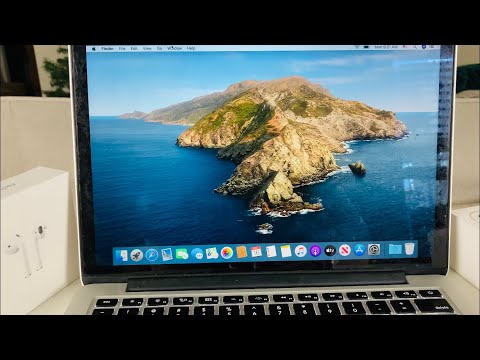
Upon unboxing, initiate the boot process by lifting the lid. The Setup Assistant will guide you through country selection and accessibility. For professional environments, skip the "Migration Assistant" to ensure a clean install, preventing legacy software bloat from degrading the performance of the M2’s unified memory architecture. Ensure you connect to a high-speed Wi-Fi 6 network to expedite the download of macOS system updates, which often include critical patches for the Apple Neural Engine (ANE).
Configuring AI-Centric System Preferences
Efficiency in a modern technical environment relies on how well the hardware interprets user intent. Navigate to System Settings and prioritize the following:
1. Spotlight & Siri: Enable "Ask Siri" and "Hey Siri" to utilize the M2’s dedicated audio processor for hands-free command execution. In Spotlight settings, ensure "Search Results" includes "System Settings" and "Documents" for rapid indexing.
2. Keyboard & Dictation: Enable Dictation with "Enhanced Dictation" if available. This uses on-device AI to process speech-to-text without sending data to Apple servers, ensuring privacy and speed.
3. Touch ID: Register at least two fingerprints. This is not just for security; it acts as the primary cryptographic trigger for Apple Pay and Passkeys, reducing the friction of manual password entry in automated workflows.
Software Automation and Developer Tooling

To leverage the full potential of the MacBook Pro (2022), the installation of a package manager is mandatory. Open Terminal and install Homebrew. This allows for the seamless deployment of AI frameworks and automation scripts. Furthermore, configure the Shortcuts app to automate repetitive tasks like resizing images using machine learning or generating summary reports from text files using local scripts.
AI Implementation Score
The following table evaluates the impact of specific MacBook Pro (2022) features on artificial intelligence and automation tasks:
| Feature | Functionality | AI Impact Score (1-10) |
|---|---|---|
| M2 Neural Engine | Accelerates ML tasks (CoreML) | 10 |
| Unified Memory | High-bandwidth data access for LLMs | 9 |
| Shortcuts App | System-level task automation | 8 |
| Live Text | OCR-based AI text recognition | 7 |
Security and Neural Integrity
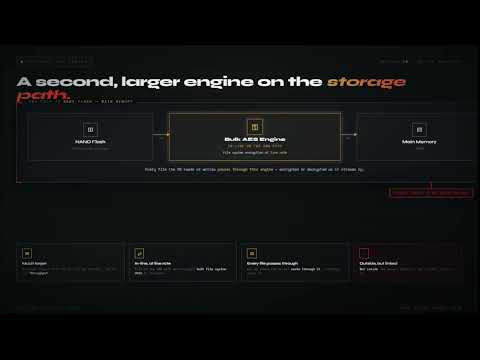
Finalize the setup by enabling FileVault. The M2 chip handles encryption at the hardware level with virtually zero latency. By encrypting your SSD, you protect the local datasets and AI models stored on your machine. Finally, ensure "Find My Mac" is active to secure your hardware investment through Apple's encrypted mesh network.
