
In the evolving landscape of digital finance, efficiency is defined by the seamless integration of software and hardware. Apple Cash stands as a primary example of how Apple’s ecosystem leverages software optimization to streamline peer-to-peer transactions. By automating the flow of capital through the iMessage framework, users can bypass the friction of third-party applications, utilizing AI-driven suggestions to facilitate rapid transfers.
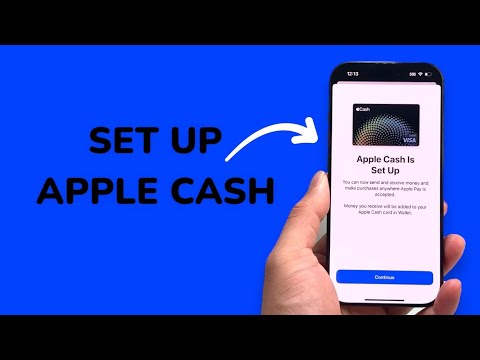
Prerequisites for Apple Cash Configuration

Before initiating the setup, ensure your device meets the technical requirements for a stable deployment. You must be at least 18 years old (in the U.S.), possess a compatible iPhone or iPad running the latest version of iOS or iPadOS, and have Two-Factor Authentication (2FA) active on your Apple ID. Additionally, a valid debit card must be provisioned within the Wallet app to fund outgoing transactions.
Step-by-Step Technical Setup

To configure Apple Cash on your primary device, follow these streamlined steps:
- Navigate to the Settings application on your iPhone.
- Scroll down and select Wallet & Apple Pay.
- Toggle the Apple Cash switch to the "On" position.
- Under the "Payment Cards" section, tap on Apple Cash.
- Select Set Up Apple Cash and follow the on-screen prompts to authenticate your identity via your Apple ID credentials.
Once activated, the Apple Cash card will appear in your Digital Wallet. This virtual card acts as a hub for all received funds, which can be stored, spent via Apple Pay, or transferred to a linked bank account through an Automated Clearing House (ACH) or an instant transfer to a supported debit card.
Leveraging AI and Automation in Transactions

The true power of Apple Cash lies in its algorithmic integration with the Messages app. iOS uses on-device intelligence to recognize intent. When a contact sends a message such as "You owe me $20," the keyboard's predictive text engine often suggests the Apple Cash icon as a proactive response. This reduces the cognitive load on the user and automates the path from communication to settlement.
Identity Verification and Security Protocols
To maintain high limits and ensure regulatory compliance, Apple may prompt for Identity Verification. This process involves scanning a government-issued photo ID. The software utilizes advanced image recognition and secure enclave processing to verify the document's authenticity without compromising user privacy. Completing this step is critical for users looking to automate high-volume transactions or maximize the utility of the service.
AI Implementation Score: Apple Cash
| Metric | Score (1-10) | Technical Reasoning |
|---|---|---|
| Efficiency | 9.5 | Instantaneous P2P settlement within native apps. |
| Software Integration | 10.0 | Deeply embedded into iOS, watchOS, and iMessage. |
| AI Automation | 8.5 | Predictive triggers for payments based on text analysis. |
| Security Architecture | 9.8 | Utilization of Secure Enclave and biometric (FaceID) gating. |
By centralizing financial data within the Apple ecosystem, users gain a level of transparency and speed that legacy banking apps struggle to replicate. The synergy between AI-driven software and secure hardware makes Apple Cash a mandatory tool for any professional looking to optimize their digital workflow.
