
Managing network resources efficiently is a priority for high-performance mobile environments. When your iPhone acts as a gateway for other devices via Personal Hotspot, maintaining visibility over connected clients is essential for both bandwidth management and security. While iOS provides basic native indicators, advanced monitoring requires a combination of system navigation and third-party network analysis software.
Native iOS Indicators: The Connectivity Count
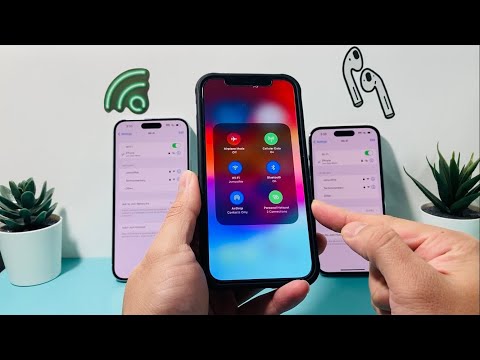
The quickest way to verify if a device is connected to your iPhone’s hotspot is through the Control Center. Swipe down from the top-right corner (on iPhones with Face ID) or up from the bottom (on iPhones with Touch ID). Long-press the platter containing Airplane Mode and Wi-Fi. Under the Personal Hotspot icon, you will see a status label indicating the number of "Connections."
Additionally, on modern iPhones with the Dynamic Island or the traditional blue status bar, a distinct icon or colored pill will appear in the top left corner whenever a device is actively leaching data. However, Apple’s native interface currently limits visibility to the total count of devices rather than a detailed list of device names or MAC addresses.
Advanced Identification via Network Scanning Software

For users who require a granular breakdown of "who" is on the network, native settings are insufficient. To bridge this gap, tech professionals utilize Network Discovery tools. These applications use AI-driven device fingerprinting to scan the local area network (LAN) created by your iPhone. By analyzing the MAC address and hardware vendor prefixes, these tools can identify whether a connected device is a MacBook, an Android handset, or an automated IoT device.
Once a scanning app is installed, ensure your hotspot is active and the scanning device is connected to the same internal network. The software will map all IP addresses assigned by the iPhone’s DHCP server, providing a clear list of active clients.
AI Implementation Score
In our assessment of how AI and automation currently handle hotspot management on iOS, we look at efficiency, identification accuracy, and security protocols.
| Metric | Score | Technical Rationale |
|---|---|---|
| Network Automation | 8/10 | iOS excels at automated handoff and "Instant Hotspot" for iCloud-linked devices, reducing manual overhead. |
| Device Fingerprinting | 9/10 | Third-party AI scanners accurately identify hardware vendors using cloud-based MAC address databases. |
| Security Reporting | 6/10 | Lack of native real-time alerts for new connections remains a gap in the iOS ecosystem. |
Optimizing Hotspot Efficiency
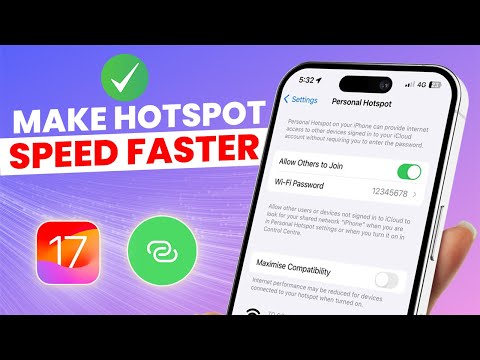
To maximize battery life and data integrity, it is recommended to toggle Maximize Compatibility (which switches the band to 2.4GHz) only when necessary, as 5GHz offers better throughput for high-demand tasks. For automated security, regularly changing the WPA2/WPA3 password within the Personal Hotspot settings ensures that unauthorized legacy connections are purged from the session table.
