
Managing your digital library efficiently requires a deep understanding of how cloud-based synchronization bridges the gap between local storage and the iCloud ecosystem. For power users and those focusing on software automation, accessing and auditing your media assets is the first step in optimizing your device’s storage and ensuring data integrity.
Method 1: Web-Based Access for Cross-Platform Efficiency

The most direct way to view your iCloud photos and videos without needing a specific Apple device is through the iCloud web portal. This method is platform-agnostic, meaning it works on Windows, Linux, or Android browsers.
- Navigate to iCloud.com and sign in with your Apple ID credentials.
- Once authenticated (usually requiring Two-Factor Authentication), click on the Photos icon.
- The interface mirrors the native Photos app, allowing you to browse by Years, Months, and Days.
This method is ideal for manual auditing and downloading specific high-resolution assets to a non-Apple environment for external AI processing or video editing.
Method 2: Native Integration on iOS and macOS

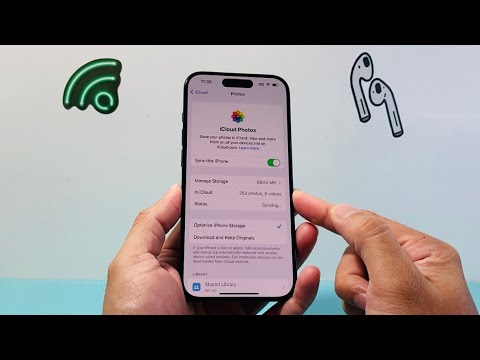
To view your content natively, the iCloud Photos setting must be toggled on. This allows the system’s Neural Engine to index your media locally while keeping the primary files in the cloud.
On an iPhone or iPad, navigate to Settings > [Your Name] > iCloud > Photos and ensure "iCloud Photos" is active. On a Mac, open the Photos app, go to Settings > iCloud, and check the box for iCloud Photos. Once synced, your entire library is visible within the Photos app under the "Library" or "All Photos" tab.
Optimizing Media Retrieval with AI Search

Modern iCloud libraries leverage machine learning algorithms to categorize images. Instead of scrolling manually, you can use the search bar to find specific content. By typing "Sunset," "Dog," or "Receipts," the system uses computer vision to filter your cloud-stored media instantaneously. This automation significantly reduces the time spent on manual curation.
AI Implementation Score
The following table evaluates how Artificial Intelligence assists in the management and viewing of your iCloud media:
| Feature | AI Component | Efficiency Score |
|---|---|---|
| Image Recognition | On-device Neural Engine indexing | 9.5/10 |
| Auto-Curation | "Memories" generated via ML | 8.0/10 |
| Search Accuracy | Natural Language Processing (NLP) | 8.8/10 |
| Storage Optimization | Predictive caching of thumbnails | 9.2/10 |
By mastering these access points, you ensure that your workflow automation remains uninterrupted, allowing for seamless transitions between mobile capture and desktop production.
