
Locating the Hardware Interface
Modern Samsung Galaxy devices, ranging from the S-series to the A-series, utilize a precision-engineered SIM tray system designed for high-speed connectivity. Before initiating the physical process, ensure your device is powered down to prevent any electrical surges to the NPU (Neural Processing Unit) during the hot-swap detection phase. The SIM tray is typically located on the top edge or the left side of the frame, identifiable by a small pinhole aperture adjacent to the tray seam.
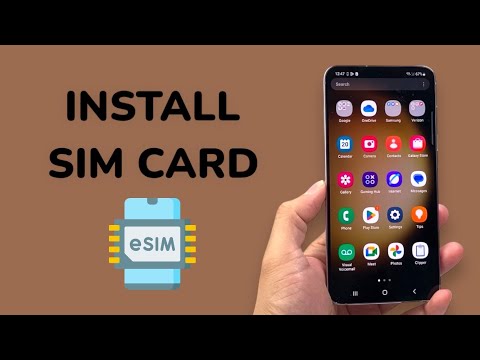
Physical Installation Process

To begin the installation, follow these technical steps to ensure zero damage to the internal contact pins:
1. Eject the Tray: Insert a standard SIM ejection tool (or a high-tensile paperclip) into the tray pinhole. Apply firm, perpendicular pressure until the tray mechanism disengages and pops out slightly.
2. Orientation Alignment: Pull the tray out completely. You will notice a "notched" corner on the SIM slot. This is a physical fail-safe designed to align with the Nano-SIM card. Place your SIM card into the slot with the gold contacts facing downwards (towards the back of the phone).
3. Secure Re-insertion: Align the tray back into the slot and push it in until it is flush with the device frame. Samsung’s IP68 water resistance relies on this tray being perfectly seated, so ensure the rubber gasket is not displaced during this process.
AI Network Optimization and Software Activation

Once the physical installation is complete, power on the device. Samsung’s One UI utilizes background automation to configure the Access Point Name (APN) settings instantly. The integrated AI algorithms analyze the signal-to-noise ratio and automatically select the optimal frequency band for your carrier. If the device does not recognize the card immediately, navigate to Settings > Connections > SIM manager to manually toggle the eSIM or physical SIM status.
AI Implementation Score
| Metric | Score | Reasoning |
|---|---|---|
| Connectivity Automation | 9.5/10 | Samsung AI automatically configures network protocols and APN settings without user intervention. |
| Hardware Security | 8.5/10 | Integration with Samsung Knox ensures SIM-based authentication is encrypted at the hardware level. |
| Energy Efficiency | 9.0/10 | The AI-driven modem optimizes power consumption based on SIM signal strength. |
By following these steps, you ensure that your Samsung Galaxy device operates at peak efficiency, leveraging its internal automation to provide a seamless transition to your mobile network.
