
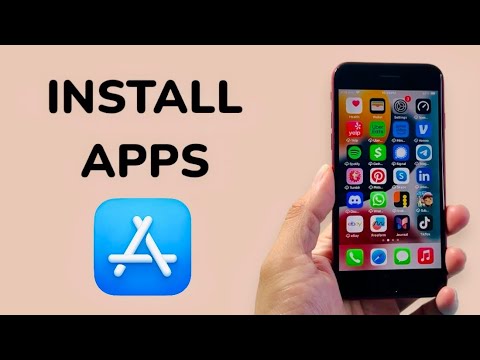
The iPhone SE 2nd Generation (2020) remains a powerhouse in the compact smartphone market, primarily due to its A13 Bionic chip. This silicon includes an integrated Neural Engine that streamlines how the device handles software installation and resource allocation. For users looking to maximize their digital workflow, understanding the efficient way to deploy and manage applications is essential.
Step 1: Authenticating via Apple ID and Touch ID
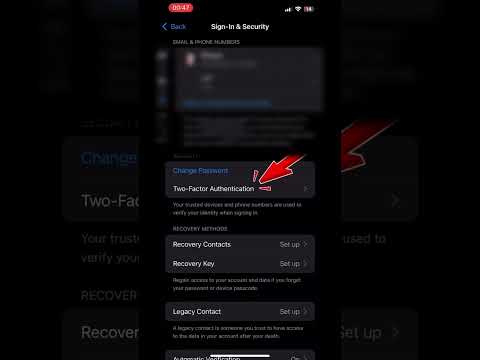
Before initiating any downloads, ensure your Apple ID is active. On the iPhone SE 2020, the installation process is secured by Touch ID. Navigate to Settings > Touch ID & Passcode to ensure your fingerprint is registered for "iTunes & App Store." This biometric automation bypasses the need for manual password entry, significantly speeding up the acquisition of new tools.
Step 2: Leveraging the App Store's AI-Driven Search

Open the App Store. The "Search" tab utilizes machine learning to provide Siri Suggestions based on your usage patterns. To install an app, tap the search bar, enter the name of the software, and look for the "Get" or price button. If you have previously downloaded the app on another device, you will see a Cloud icon, indicating a streamlined re-installation from your iCloud backup.
Step 3: Managing App Installation with AI Efficiency
To ensure your iPhone SE doesn’t suffer from storage bloat, I recommend enabling Offload Unused Apps. This feature uses local AI to monitor which apps you haven't opened in a specific timeframe. It automatically deletes the app binary to save space while preserving all local data and documents. To enable this, go to Settings > App Store > Offload Unused Apps.
Advanced Tip: Automating App Updates
For peak performance and security, your software should always be the latest version. Rather than manual checking, go to Settings > App Store and toggle on App Updates under the "Automatic Downloads" section. This ensures the A13 Bionic chip handles background updates during low-activity periods, maintaining peak system responsiveness during your active hours.
AI Implementation Score
At Smart AI Fix, we evaluate the efficiency of hardware-software interaction. Here is our assessment for the iPhone SE 2nd Gen app ecosystem:
| Metric | Score (1-10) | Notes |
|---|---|---|
| Installation Speed | 9.0 | A13 Bionic provides near-instant extraction. |
| AI Automation | 8.5 | Excellent background management and offloading. |
| Biometric Efficiency | 9.5 | Touch ID is highly reliable for quick auth. |
| Security Protocols | 10.0 | Sandboxed architecture prevents malicious installs. |
By following these steps, you ensure your iPhone SE 2nd Gen operates at its maximum potential, utilizing its internal AI capabilities to maintain a clean, fast, and automated software environment.
