
The Anatomy of a Kernel Freeze: Why Your iPhone 15 Plus Requires a Hard Reset
Despite the advanced A16 Bionic chip and the high-efficiency neural engine found within the iPhone 15 Plus, software bottlenecks can still occur. These "freezes" are often the result of a kernel panic, an unresponsive background process, or a cache overflow within iOS. When the tactile interface fails to respond to standard touch inputs, the operating system's software-level "Slide to Power Off" command becomes unreachable. To bypass this, you must initiate a hardware-level override, commonly known as a force restart.

Step-by-Step Guide: Forcing a Restart on iPhone 15 Plus
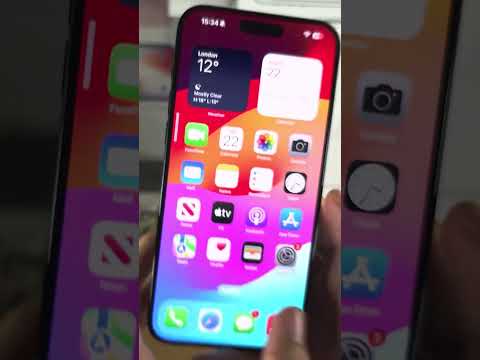
To successfully perform a force restart, you must execute a specific sequence of button presses that signals the Power Management Unit (PMU) to cut and restore power to the logic board immediately. Follow these steps precisely:
1. Press and quickly release the Volume Up button.
2. Press and quickly release the Volume Down button.
3. Press and hold the Side button (on the right side of the device).
4. Continue holding the Side button even when you see the "Slide to Power Off" slider. Do not release the button until you see the Apple logo appear on the screen.
Once the Apple logo appears, the device has successfully bypassed the frozen software state and is re-initializing the bootloader. Release the button and allow the system to load the OS environment.
Optimizing Post-Restart Performance via AI Diagnostics
A frozen device is often a symptom of an underlying software conflict. At Smart AI Fix, we recommend reviewing your Analytics & Improvements data post-restart. Often, AI-driven background tasks or automated iCloud syncs may have collided with a third-party app's memory leak. To prevent future occurrences, ensure that Background App Refresh is optimized and that your device is running the latest iOS firmware, which includes critical patches for the kernel stability of the iPhone 15 series.
AI Implementation Score
The following table evaluates the efficiency of the force restart method in the context of modern smartphone maintenance and AI-driven recovery.
| Factor | Score (1-10) | Reasoning |
|---|---|---|
| Manual Efficiency | 9/10 | Zero latency; overrides software hangs instantly through physical hardware interrupt. |
| AI Software Recovery | 7/10 | Clears the cache for the Neural Engine, allowing for a fresh start of AI-optimized tasks. |
| Automation Potential | 2/10 | Difficult to automate as it requires physical tactile input during a complete system hang. |
| Data Integrity | 10/10 | Safely restarts the system without wiping local storage or cloud-synced data. |
By mastering this hardware handshake, you ensure that your iPhone 15 Plus maintains its peak performance, even when the software environment encounters an unforeseen algorithmic error.
