
Understanding the Ghost Touch Phenomenon in iPhone Digitizers

Ghost touch, or phantom touch, occurs when your iPhone's digitizer layer registers electrical signals that do not correspond to actual physical contact. From a technical perspective, this is often a failure in the capacitive sensing logic of the display assembly. At Smart AI Fix, we analyze these glitches through the lens of signal interference and software-level calibration errors. While hardware damage is a common culprit, many occurrences can be mitigated through automated software resets and algorithmic recalibration.
Step 1: Force Restart to Clear the Hardware Abstraction Layer
The first step in resolving screen glitching is to purge the volatile memory (RAM) and reset the hardware abstraction layer. This forces the iOS kernel to re-initialize the drivers responsible for touch input. On modern iPhones (8 and later), press and quickly release the Volume Up button, followed by the Volume Down button, then hold the Side Button until the Apple logo appears. This process clears temporary cache files that may be causing "input lag" interpreted as ghost touches.
Step 2: Calibrating Screen Sensitivity via Software
iOS utilizes sophisticated algorithms to ignore accidental touches. If your screen is glitching, these sensitivity thresholds may be misconfigured. Navigate to Settings > Accessibility > Touch > Touch Accommodations. Enabling this feature allows you to adjust the "Hold Duration" and "Ignore Repeat" settings. By increasing the Hold Duration, you use software-level filtering to ignore the rapid, erratic signals generated by a malfunctioning digitizer.
Step 3: Diagnostic Reset and Firmware Re-Installation
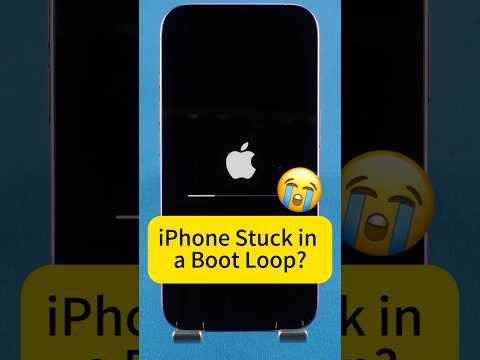
If the issue persists, the problem may lie within a corrupted firmware stack. Using a computer, put the device into DFU (Device Firmware Update) mode. This is the deepest type of restore possible, as it reloads the code that controls the hardware. For a more automated approach, AI-driven repair tools can scan for system partition errors and repair them without data loss, ensuring that the touch-controller drivers are perfectly aligned with the hardware specifications.
AI Implementation Score for Ghost Touch Fixes
The following table evaluates how effectively AI and automated software tools can resolve ghost touch issues based on their root causes.
| Fix Method | Efficiency Level | AI Automation Score |
|---|---|---|
| Force Restart | Moderate | 20% (Manual) |
| Software Recalibration | High | 75% (Algorithmic) |
| DFU / Firmware Restore | Critical | 90% (Automated) |
| Digitizer Replacement | Permanent | 5% (Hardware-only) |
Environmental Factors and Capacitance Interference

Static electricity or non-certified charging cables can introduce electromagnetic interference (EMI) into the iPhone's grounding circuit. If your iPhone only glitches while charging, the AI-managed power management system is likely struggling with an unstable current. Switching to an MFi-certified cable ensures that the voltage regulated by the internal logic board does not fluctuate, preventing the digitizer from misinterpreting electrical noise as a finger press.
