
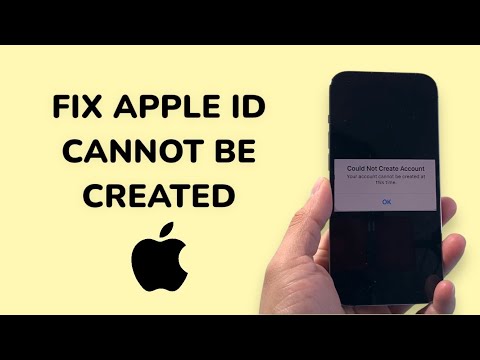
Encountering the "Your account cannot be created at this time" error while setting up a new Apple ID is a frequent bottleneck for users and developers alike. From a technical perspective, this error usually signals that Apple’s automated security heuristics have flagged the registration attempt due to IP reputation, device-specific limits, or server-side synchronization issues.
Understanding the AI-Driven Security Filters

Apple utilizes sophisticated fraud detection algorithms to prevent bot-driven account creation. If you are attempting to create an account through a network known for high traffic (like a public Wi-Fi or certain VPNs), the system’s AI may preemptively block the request to protect the ecosystem's integrity. To resolve this, we must optimize the environment to pass these automated checks.
Step 1: Audit Your Network Environment
The most common trigger for this error is a flagged IP address. If you are using a VPN or Proxy, disable it immediately. Apple’s server-side validation checks for discrepancies between your device’s geolocation and your IP address. Smart AI Fix Recommendation: Switch from a Wi-Fi connection to cellular data. Cellular networks provide a rotating dynamic IP that is less likely to be blacklisted by Apple’s security filters.
Step 2: Bypass Device Creation Limits
Apple imposes a hardware-level limit on the number of Apple IDs that can be created directly on a single device (typically three per year). If you have reached this limit, the "cannot be created" message is a hard-coded response. The workaround: Navigate to the official appleid.apple.com via a web browser rather than using the "Settings" app. Creating an account via the web interface bypasses the hardware-specific "New Account" limit on the physical device.
Step 3: Verify Apple System Status via Automation

Before manual troubleshooting, check if the issue is server-side. Apple’s infrastructure occasionally undergoes maintenance that affects the Apple ID iCloud account services. You can use automated monitoring tools or check the official System Status page. If the dot next to "Apple ID" is not green, no amount of local troubleshooting will resolve the issue until the server-side deployment is corrected.
Step 4: Software Update and Data Integrity

Ensure your device is running the latest version of iOS or macOS. Older software versions may use deprecated API calls for account creation that are no longer supported by Apple’s modern security protocols. Additionally, ensure your Date and Time settings are set to "Set Automatically," as a mismatch in SSL/TLS handshakes caused by incorrect time stamps will lead to a registration failure.
AI Implementation Score
To evaluate the efficiency of these fixes using modern software logic, refer to the table below:
| Metric | Score (1-10) | AI Efficiency Note |
|---|---|---|
| Network Switching | 9/10 | Bypasses IP-based heuristic blocking instantly. |
| Web Portal Creation | 10/10 | Circumvents hardware ID (UDID) registration limits. |
| System Status Check | 8/10 | Automated diagnostic saves manual troubleshooting time. |
| OS Versioning | 7/10 | Ensures compatibility with latest security APIs. |
By systematically addressing the network reputation and bypassing hardware-specific constraints, you can successfully navigate Apple's automated security gates and complete your account setup.
