
Transforming your Samsung Galaxy device into a portable wireless router is a cornerstone of modern mobile efficiency. Leveraging Samsung’s One UI ecosystem, the mobile hotspot feature allows for seamless data sharing across multiple devices, integrated with smart automation to ensure connectivity is never a bottleneck for your workflow.
Step-by-Step: Enabling Mobile Hotspot on One UI
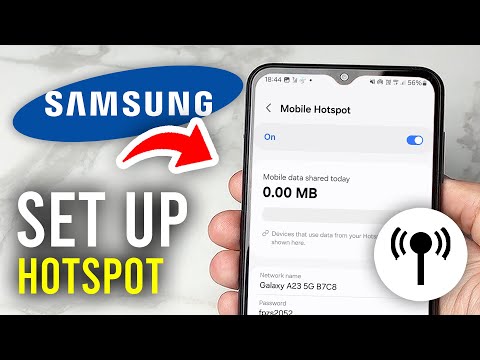
To initiate the mobile hotspot on your Samsung phone, follow these precise steps to ensure a secure and stable connection:
1. Access Settings: Swipe down from the top of your screen to open the Notification Shade and tap the Settings gear icon.
2. Navigate to Connections: Within the settings menu, select Connections. This is the hub for all networking protocols including Wi-Fi, Bluetooth, and Data usage.
3. Open Mobile Hotspot and Tethering: Locate the Mobile Hotspot and Tethering sub-menu. This section allows you to manage how your cellular data is broadcasted.
4. Toggle the Switch: Tap the toggle next to Mobile Hotspot to turn it on. For first-time users, tapping the text itself will allow you to configure the Network Name (SSID) and Password.
Optimizing with AI and Automation Features

Samsung has integrated Auto Hotspot features that utilize your Samsung Account to share data automatically with your other logged-in devices (tablets or secondary phones) without requiring a password manual entry. Furthermore, the Wi-Fi Sharing capability allows you to share an existing Wi-Fi connection rather than cellular data, effectively turning your phone into a range extender—a vital trick for low-signal environments.
For those focused on efficiency, you can also enable Timeout Settings. This ensures the hotspot automatically disables when no devices are connected for a specific duration, preserving battery life and reducing unnecessary hardware strain.
AI Implementation Score: Samsung Hotspot Utility
The following table evaluates the efficiency and technological integration of Samsung's current hotspot implementation for professional users.
| Metric | Score (1-10) | Rationale |
|---|---|---|
| Ease of Access | 9/10 | Quick-panel toggles make activation instantaneous. |
| Automation Potential | 8/10 | Auto Hotspot and Bixby Routines allow for context-aware activation. |
| Energy Efficiency | 7/10 | High power draw is mitigated by smart timeout features. |
| Cross-Device Sync | 10/10 | Near-perfect integration with the Samsung/Windows ecosystem. |
By mastering these settings, you ensure that your Samsung Galaxy remains a high-performance node in your personal tech stack, providing reliable internet access to laptops, tablets, and IoT devices on the go.
